Construction management software where the work, deliveries and parties sit on the floor plan. Schedule, site diary, acts, budget and payment certificates in one place.
The demo opens without signing in. In the header you can choose whose view to see: project manager, site manager, subcontractor, worker or supervisor. The interface can be switched between English, Russian and Estonian; the sample project and its documents are in Estonian.
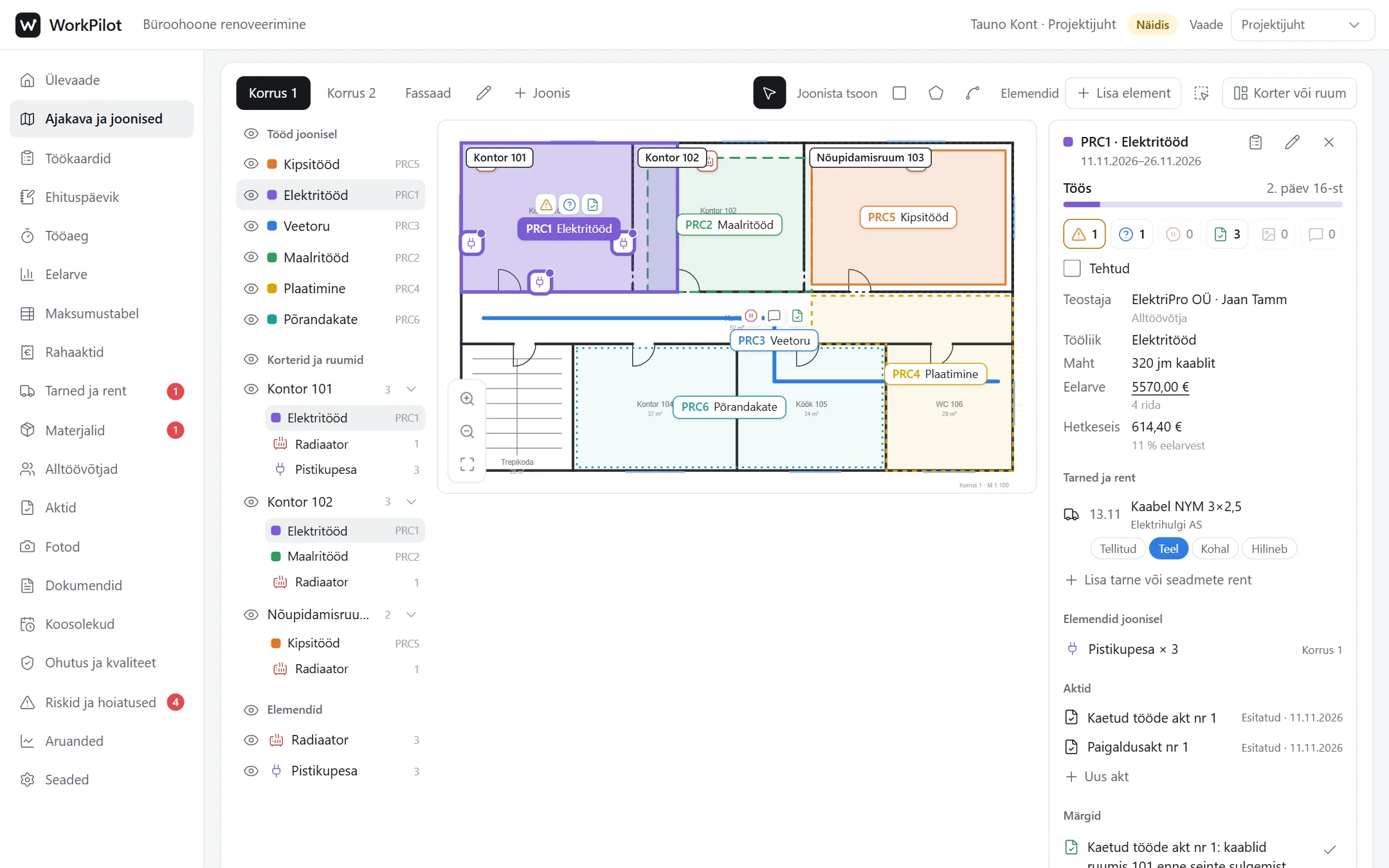
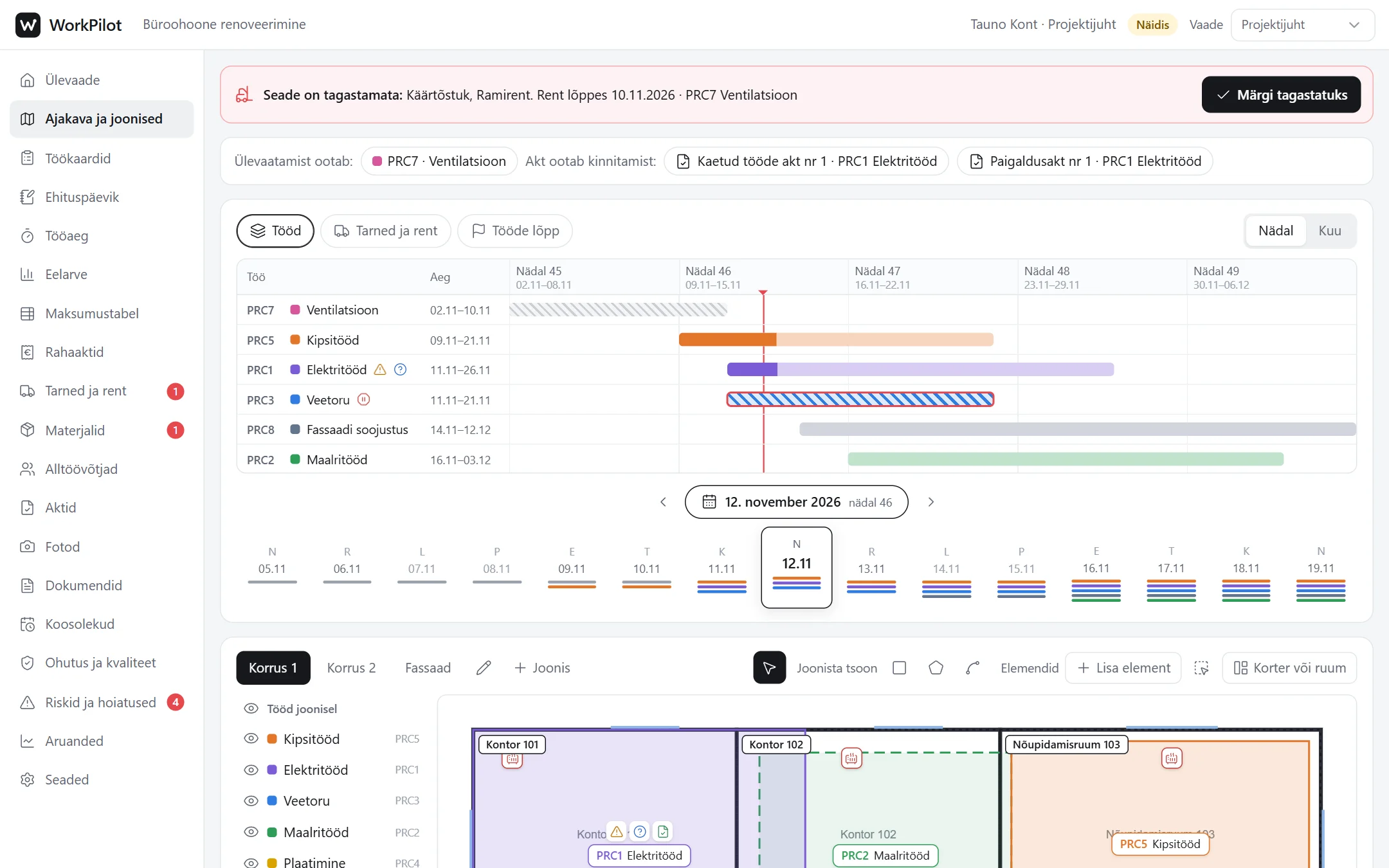
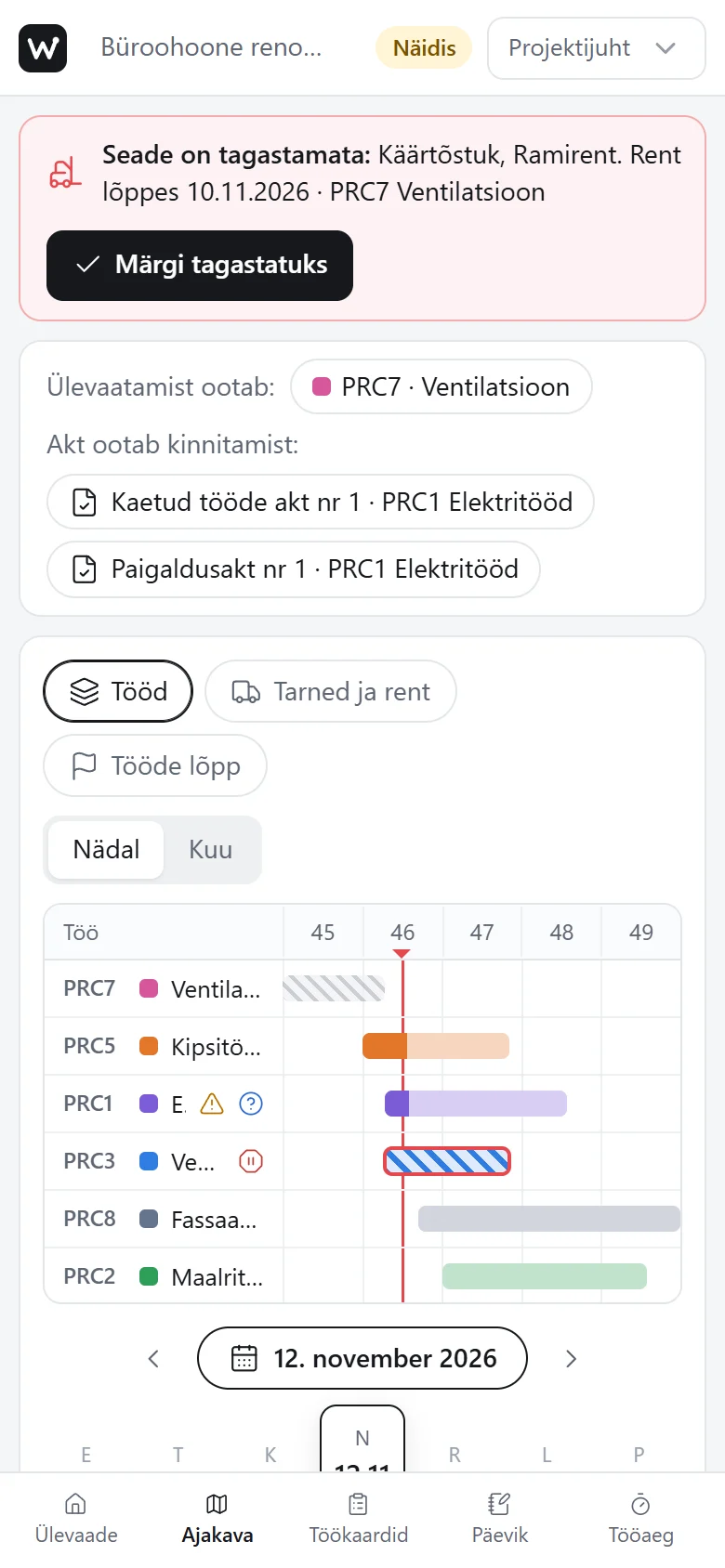
This is the real application, feel free to try it. The schedule is at the top; below it is the floor plan where every job has its own zone.
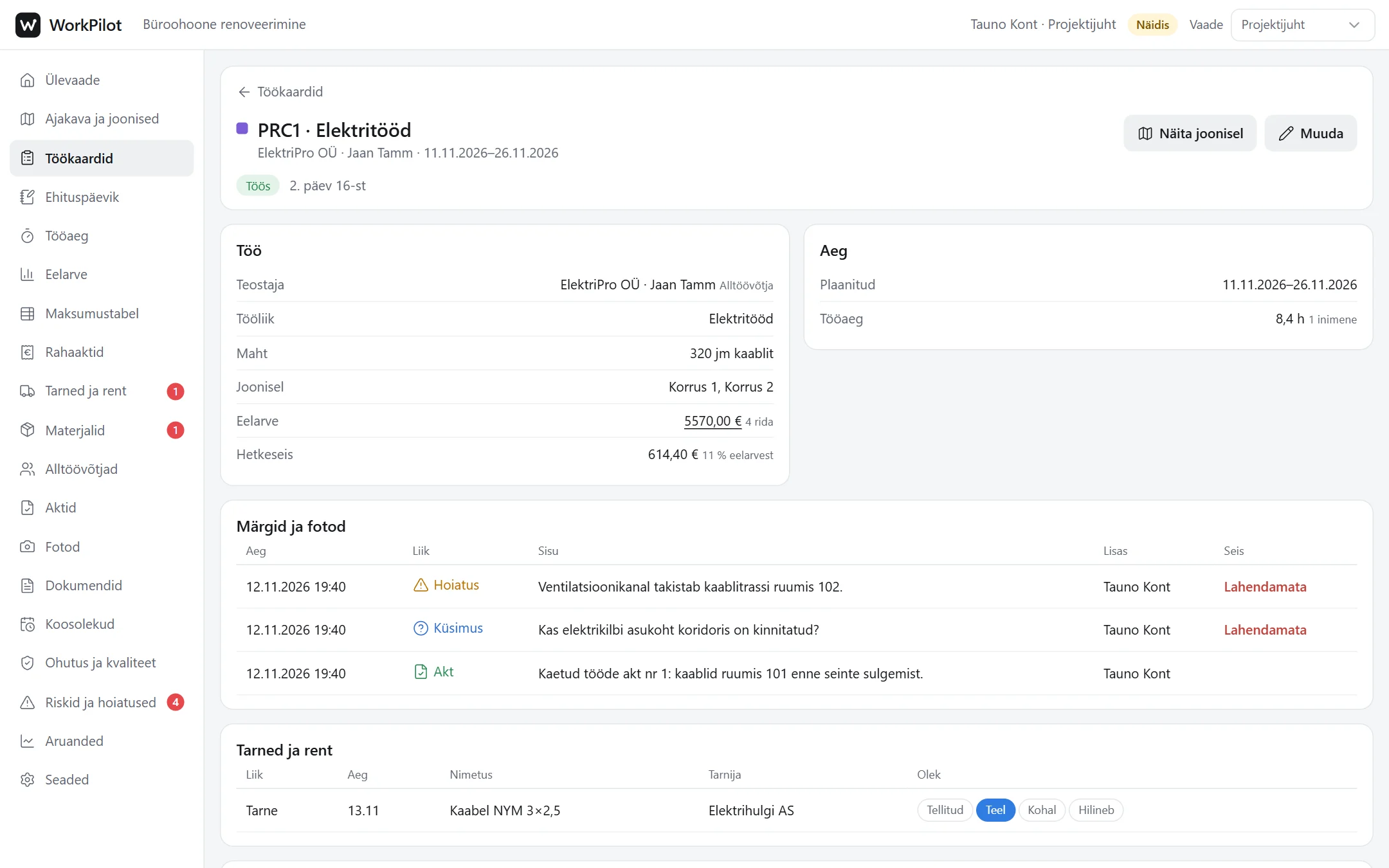
Everything about one job: who does it, dates, stoppages, deliveries, notes, acts and the full history.
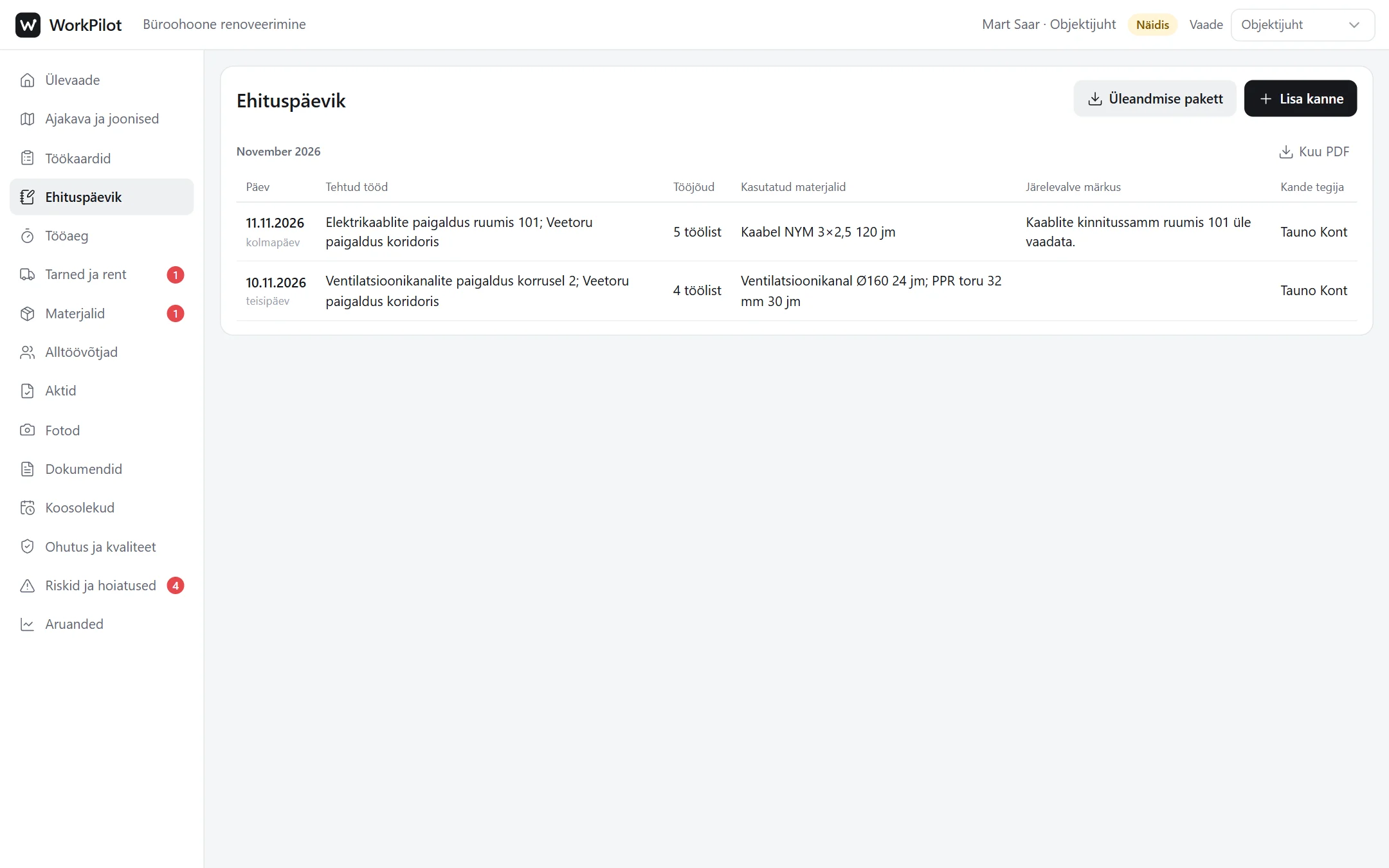
The site manager fills in the day: weather, workforce, work done and materials. The monthly diary comes out as a PDF.
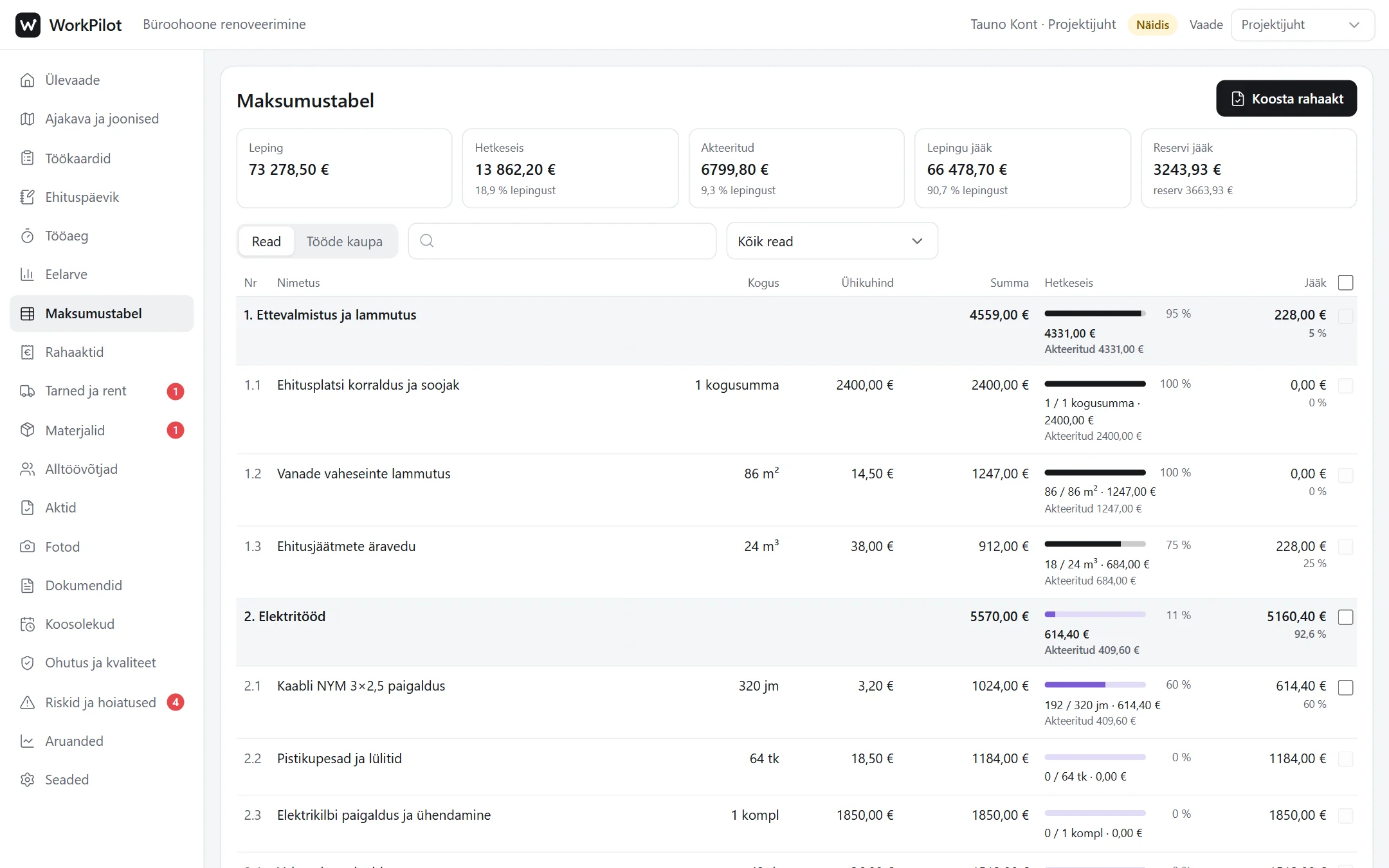
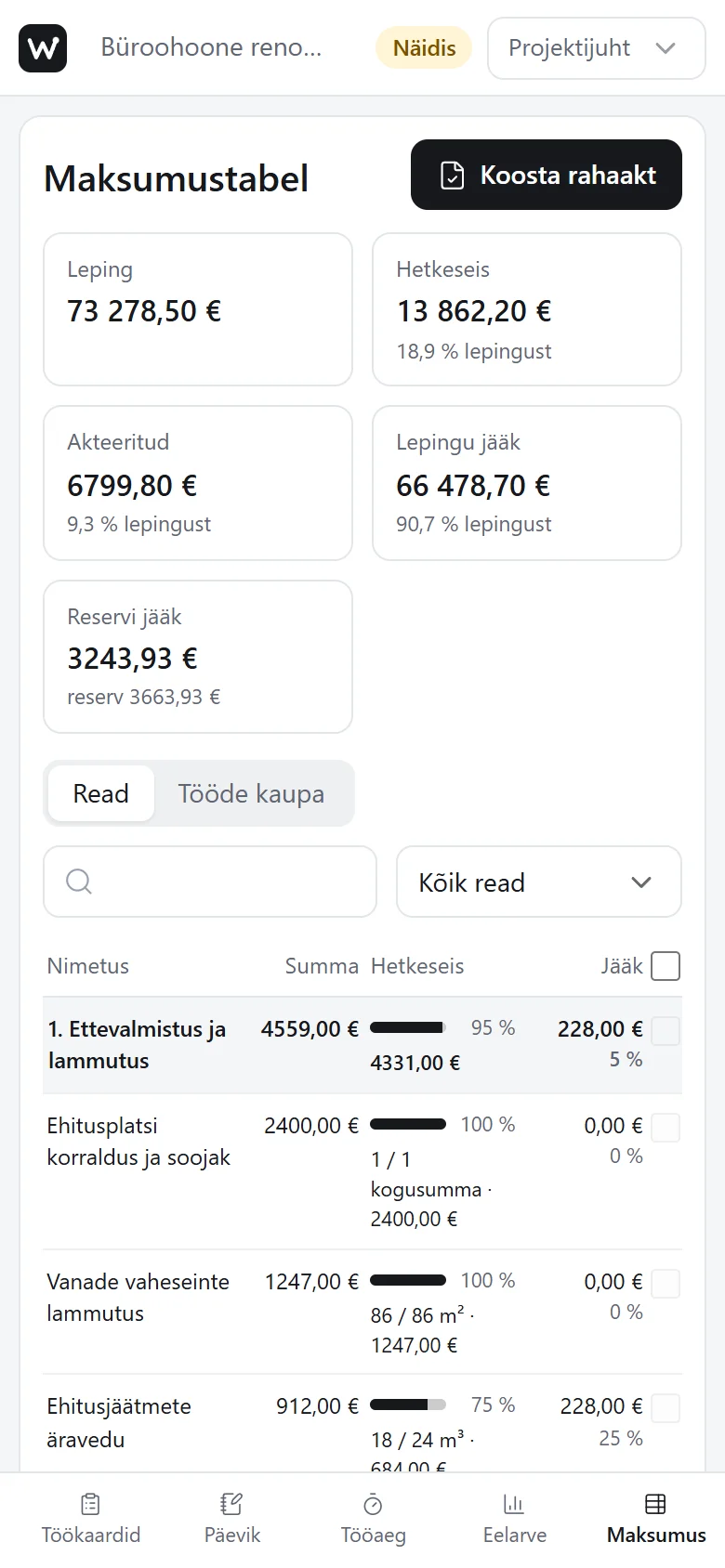
Every budget line shows how much of the work is done, how much has been certified and what remains of the contract. Change the progress and tick lines for a payment certificate.
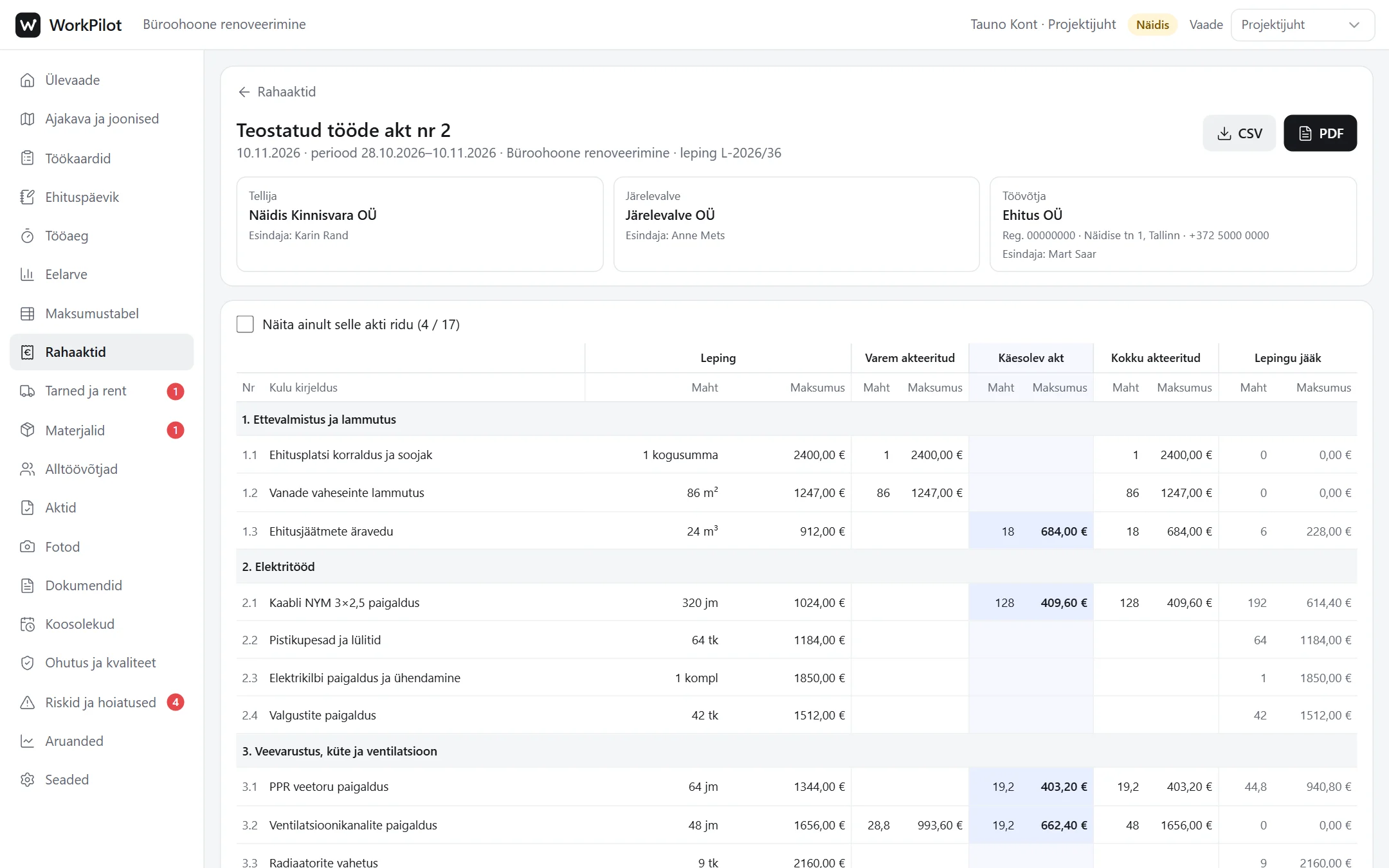
Certificate of completed work: every contract line, previously certified, this certificate and the remainder. Try the PDF button.
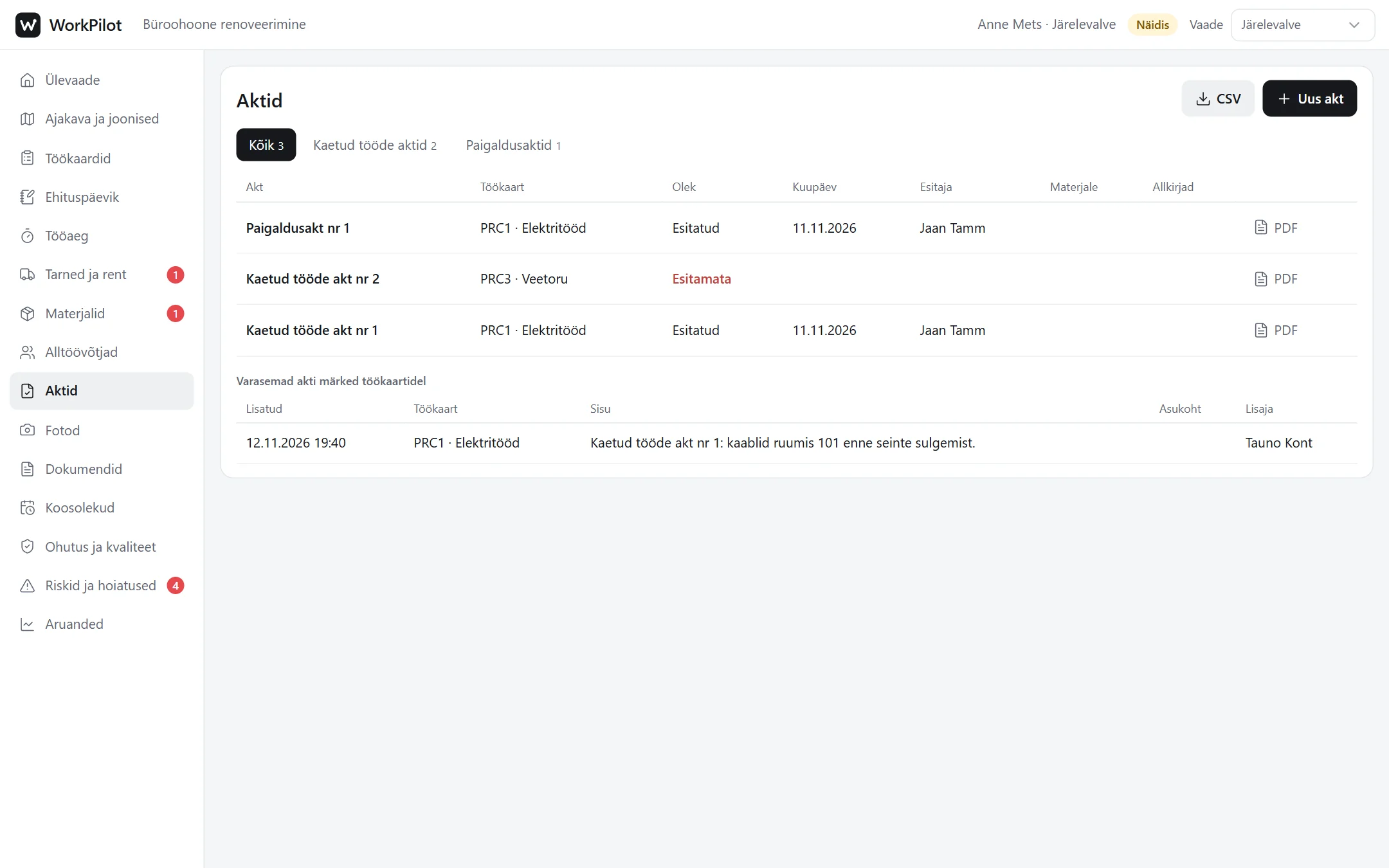
The supervisor’s view: a submitted act is waiting for review. Open it and approve it or send it back.
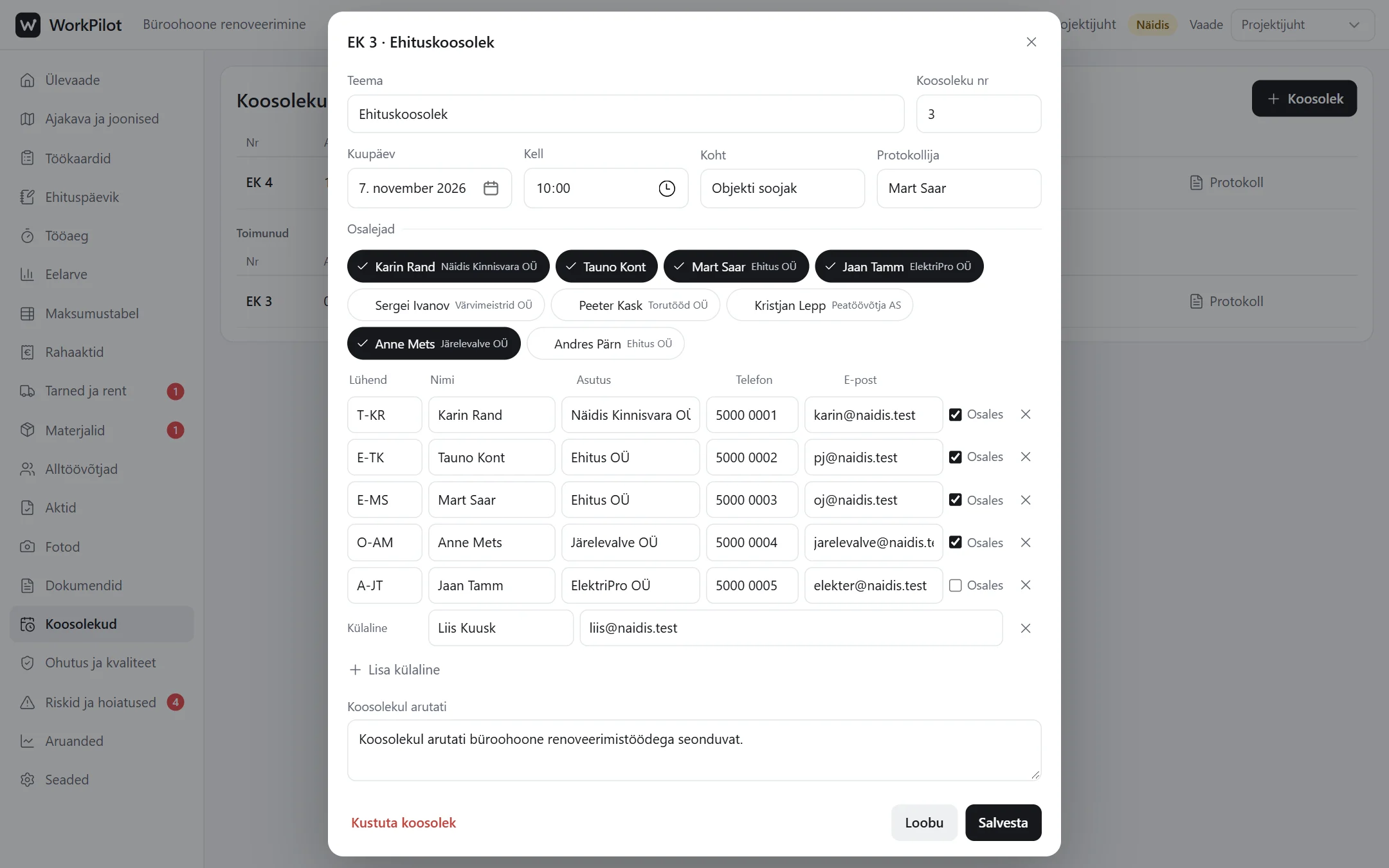
Site meeting minutes with participants, items, owners and deadlines. Open items carry over to the next minutes.
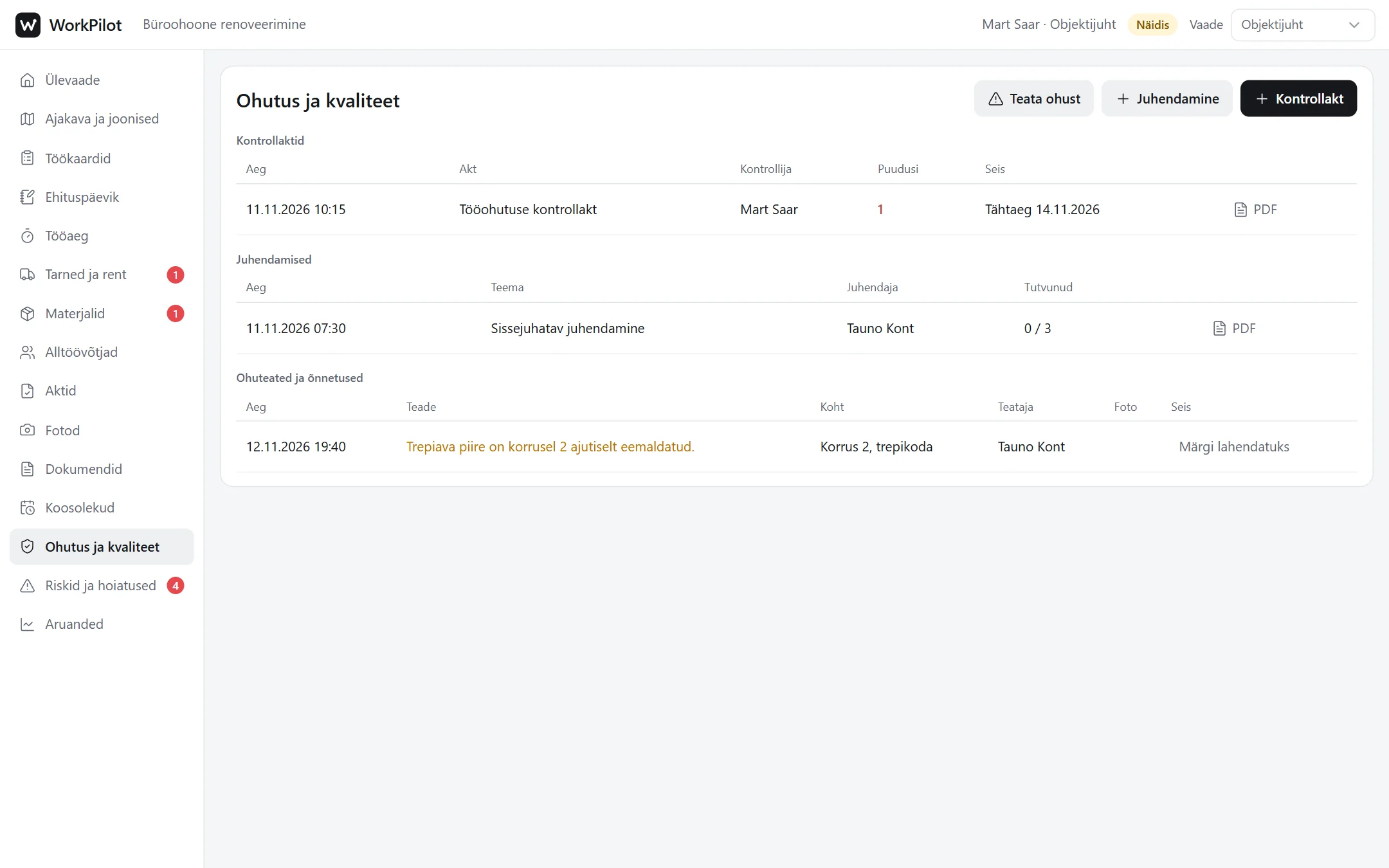
Inspection reports, briefings and hazard reports. A defect gets a deadline and an owner.
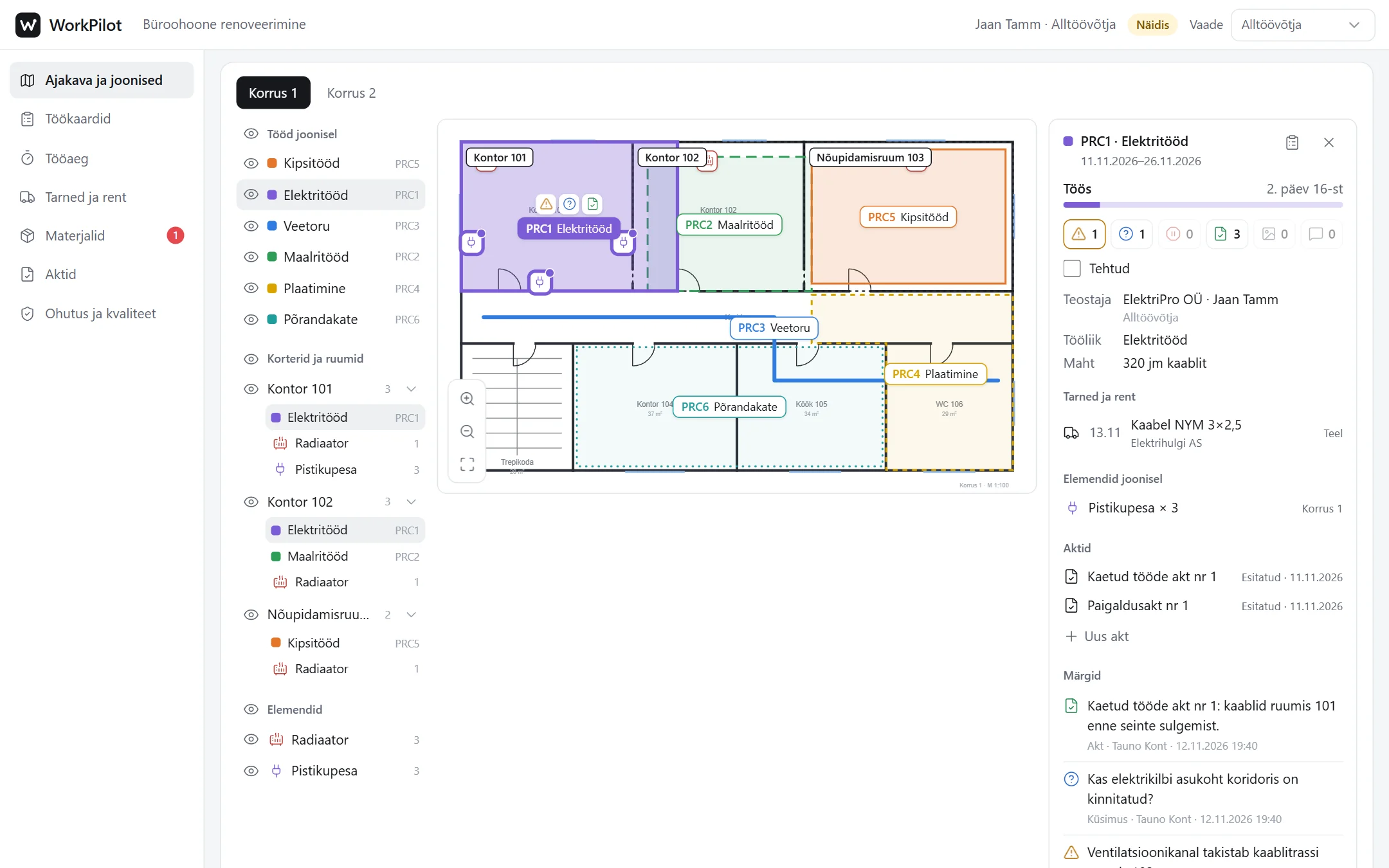
A subcontractor sees their own jobs in full and other jobs only by name, dates and location. They do not see the budget.
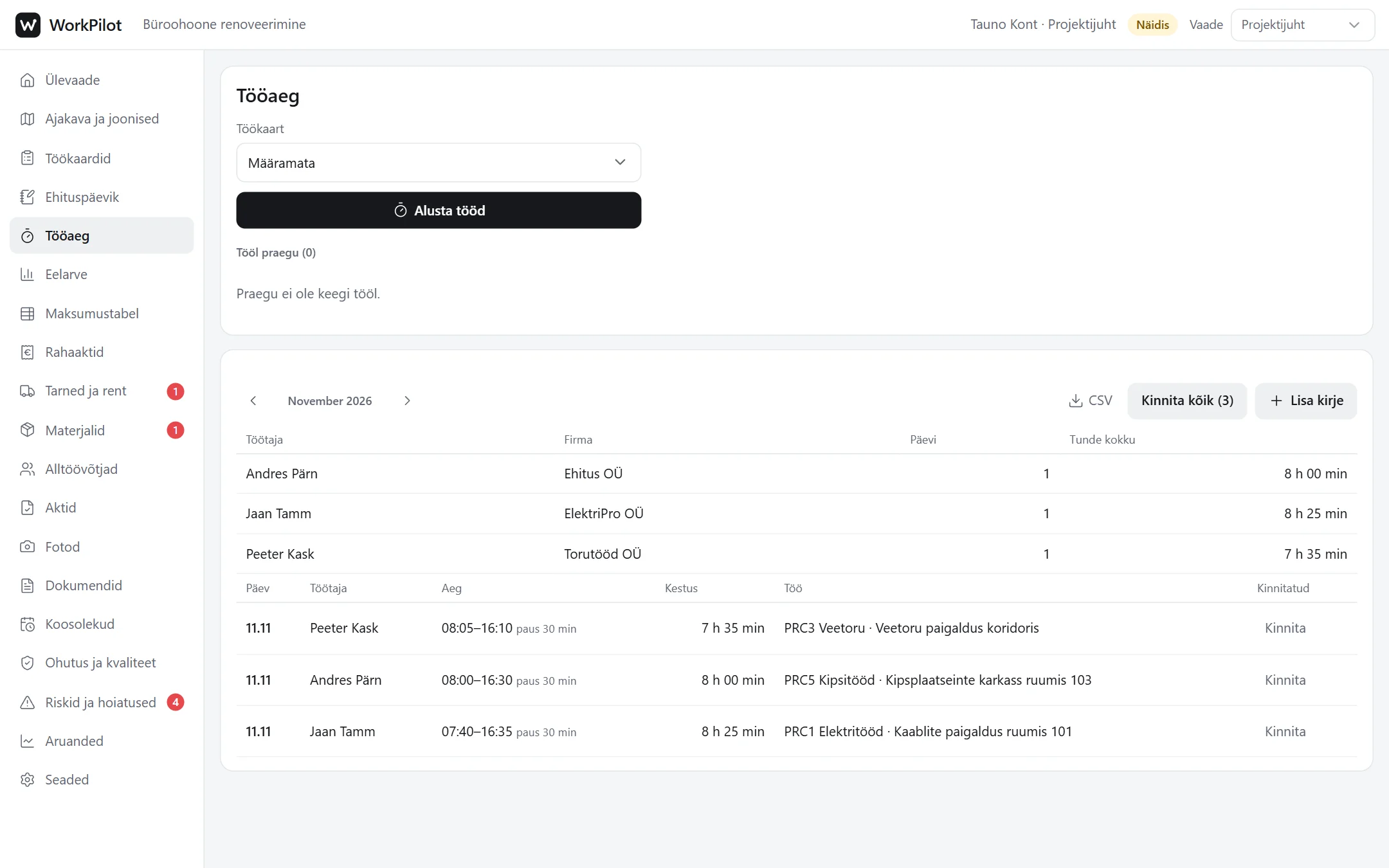
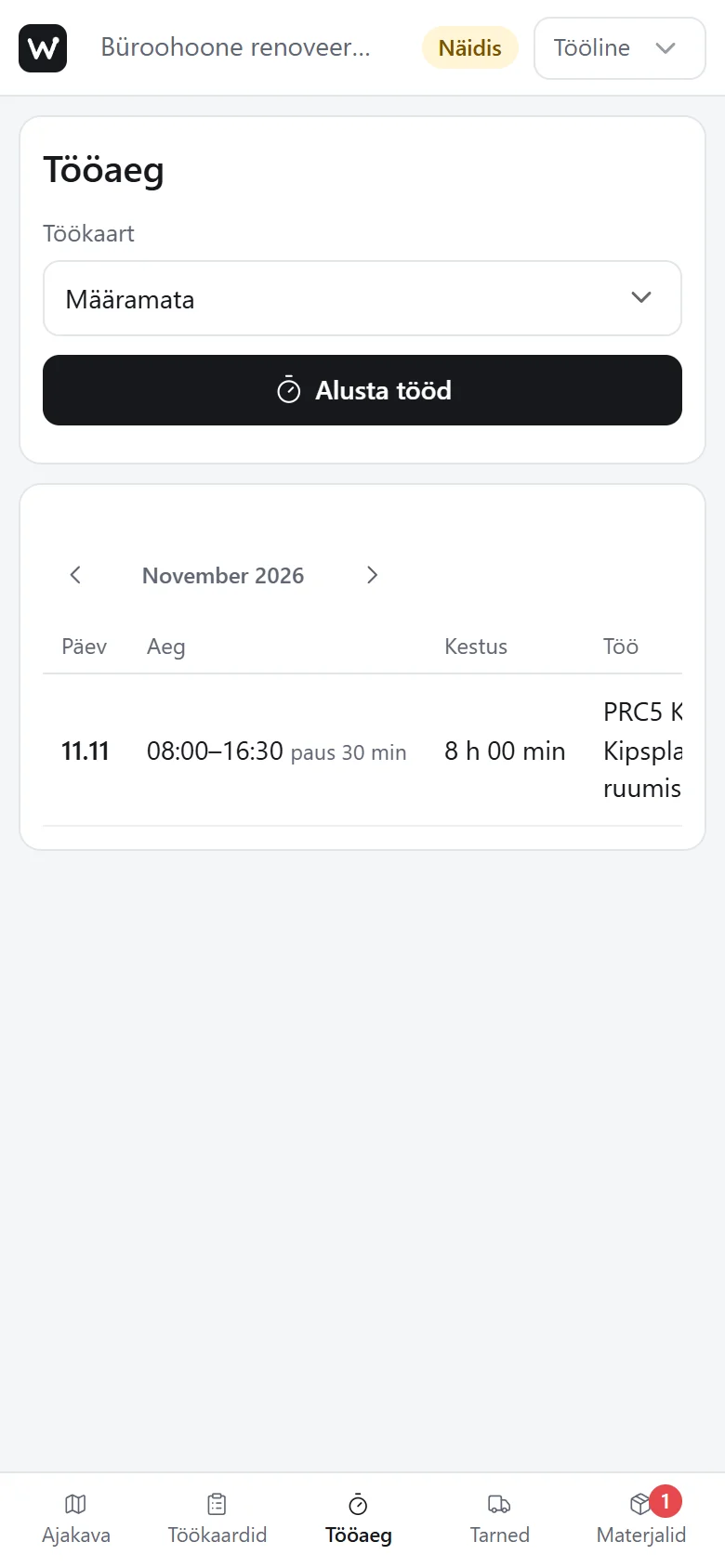
A worker starts and ends the working day on the phone. The project manager sees who is on site and the monthly hours per person.
it.sobo.ee/naidis/objektijuht/?naidis
What it is
Running a construction site on the floor plan
In WorkPilot the project manager draws work zones on the floor plan. Each zone is linked to a work card with the contractor, deadlines, deliveries and notes. One picture shows who works where, what is finished and what is stuck.
All parties see the same site, each with their own rights. The site diary, covered work acts, payment certificates and meeting minutes are built from the same data and come out as PDFs.
Who it suits
Construction companyAll sites, jobs and documents in one place.
Project manager and site managerSchedule, budget progress and the daily diary without Excel sheets.
Subcontractor and workerTheir own jobs, deadlines and working time on the phone.
Client and owner’s supervisorReviews, acts and minutes without paper.
5views: project manager, site manager, subcontractor, worker and supervisor
5documents as PDF: site diary, covered work act, payment certificate, inspection report and meeting minutes
1floor plan that holds the work, deliveries, notes and elements together
Videos
See how the work flows
The tutorial walks through all of WorkPilot. The process videos follow one task from start to finish, the way the parties actually do it. The videos have no sound; the explanations on screen are in Estonian.
Tutorial: all of WorkPilot
9:07
Sign-in, schedule and drawings, work cards, site diary, working time, budget, payment certificates, deliveries, acts, meetings, safety, clients and each party’s view.
From budget to payment certificate
2:33
The project manager updates the completed quantity in the cost table, ticks the lines for the payment certificate and uses the reserve. The certified amount and contract remainder update by themselves.
From a remark to an approved act
2:39
The supervisor adds a remark to the work and requests a covered work act. The subcontractor fills in and submits the act, and the supervisor approves it.
When the work is not accepted at once
1:58
The subcontractor marks the work as done, and the supervisor sends it back with a reason and a new deadline. After the fix the work is accepted, and the whole course stays in the work card’s history.
The planned time does not suit the client
1:23
The subcontractor offers alternative times, the client picks one that suits them, and the subcontractor sees the choice at once.
What you can do there
From the floor plan to the payment certificate
Press an image to see it large.
Schedule and floor plan
Jobs are in the schedule by week and at the same time in their zone on the floor plan. Work in progress has a solid outline, upcoming work a dashed one, finished work is grey. A stoppage or an open question stands out at once.
Work card
The work card holds everything about one job: contractor, planned dates, stoppages with their duration, deliveries and rentals, notes, photos, acts and the full change history. A delivery status changes with one click.
Site diary
The daily entry is pre-filled from the schedule, deliveries and working time. The weather is added by location, and the text can be dictated. The monthly diary and the handover package come out with one button.
Budget and cost table
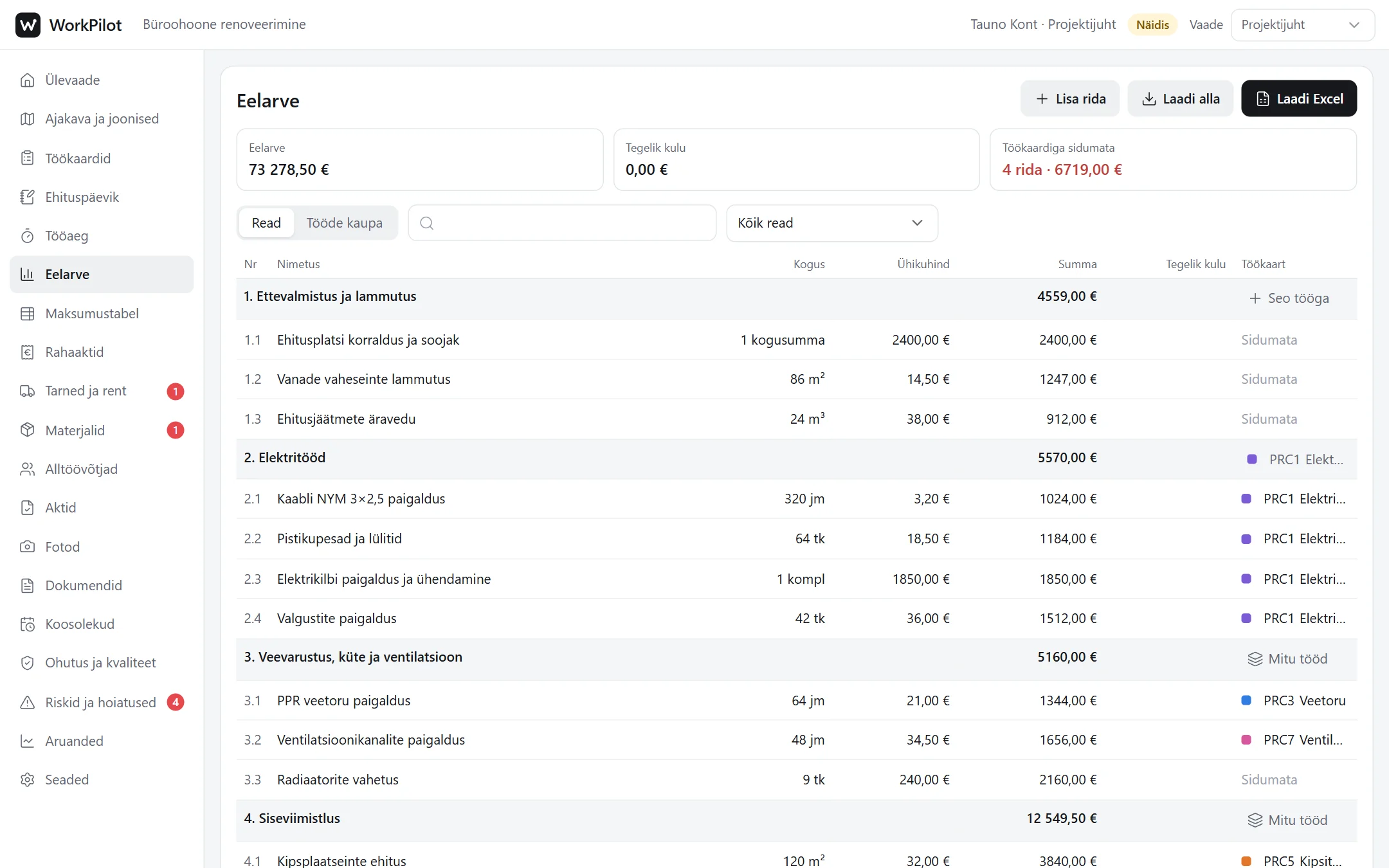
The budget is loaded from Excel and its lines are linked to work cards. The cost table shows each line’s progress as a bar, the certified amount, the contract remainder and the contingency reserve.
Payment certificate
The certificate of completed work is built from the cost table: tick the lines and it is ready. It lists every contract line, the amount certified earlier, this certificate and the remainder, reserve usage with a reference, and three signature lines.
Acts
Covered work acts, installation acts, handover acts and other act types are in one place. A reviewer or the contractor adds an act, the contractor fills it in and submits it, the reviewer approves it or sends it back. The act comes out as a PDF with photos and declarations, and the signed file can be attached.
Meetings and minutes
Site meeting minutes list the participants with their abbreviations, items by topic, the owner and the deadline. Unfinished items carry over to the next minutes with their old number.
Safety, materials and working time
Inspection reports with ready-made checklists, briefings that each participant confirms, and hazard reports with a photo. The materials register keeps the declarations and the working time page shows who is on site right now.
Each party sees their own part
A subcontractor and a worker see their own jobs in full and other jobs only by name, dates and location. Only the project manager sees the budget, payment certificates and settings.
On phones
Works on the phone too
On site the phone is always at hand. The menu sits at the bottom of the screen, tables fit the width and the working day starts with one tap.
Good to know
What is real and what is a demo
Real
The demo is the same application as in real use: the same code and the same calculations.
The PDFs (site diary, acts, minutes) and spreadsheet files are really generated and can be downloaded.
The fields of the site diary and the covered work act are taken from the Estonian regulation on documenting construction.
Demo
The site, companies, people and amounts are made up.
Everything stays in your browser. Nothing is sent to a server, and reloading the page starts the demo from the beginning.
The demo sends no e-mails and has no ID-card sign-in.
In real use
Sign-in with an e-mail code, a numeric code or an ID card.
The data is on a server: the parties see each other’s work at once and every change is logged.
Your own sites, drawings from PDF and the budget from Excel.
If needed, we set up the roles, document templates and outputs for your company.
Project
Rahvakogu
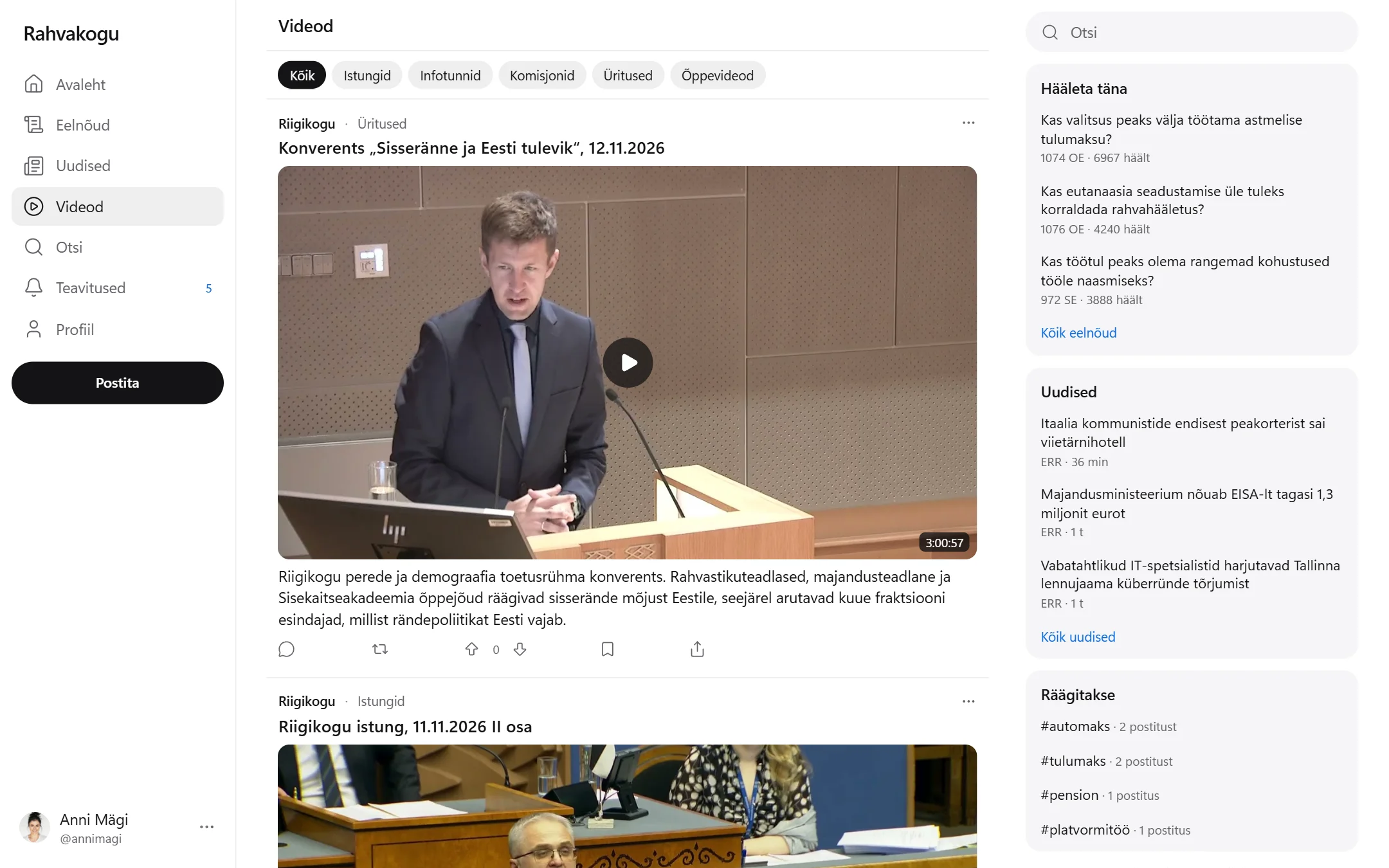
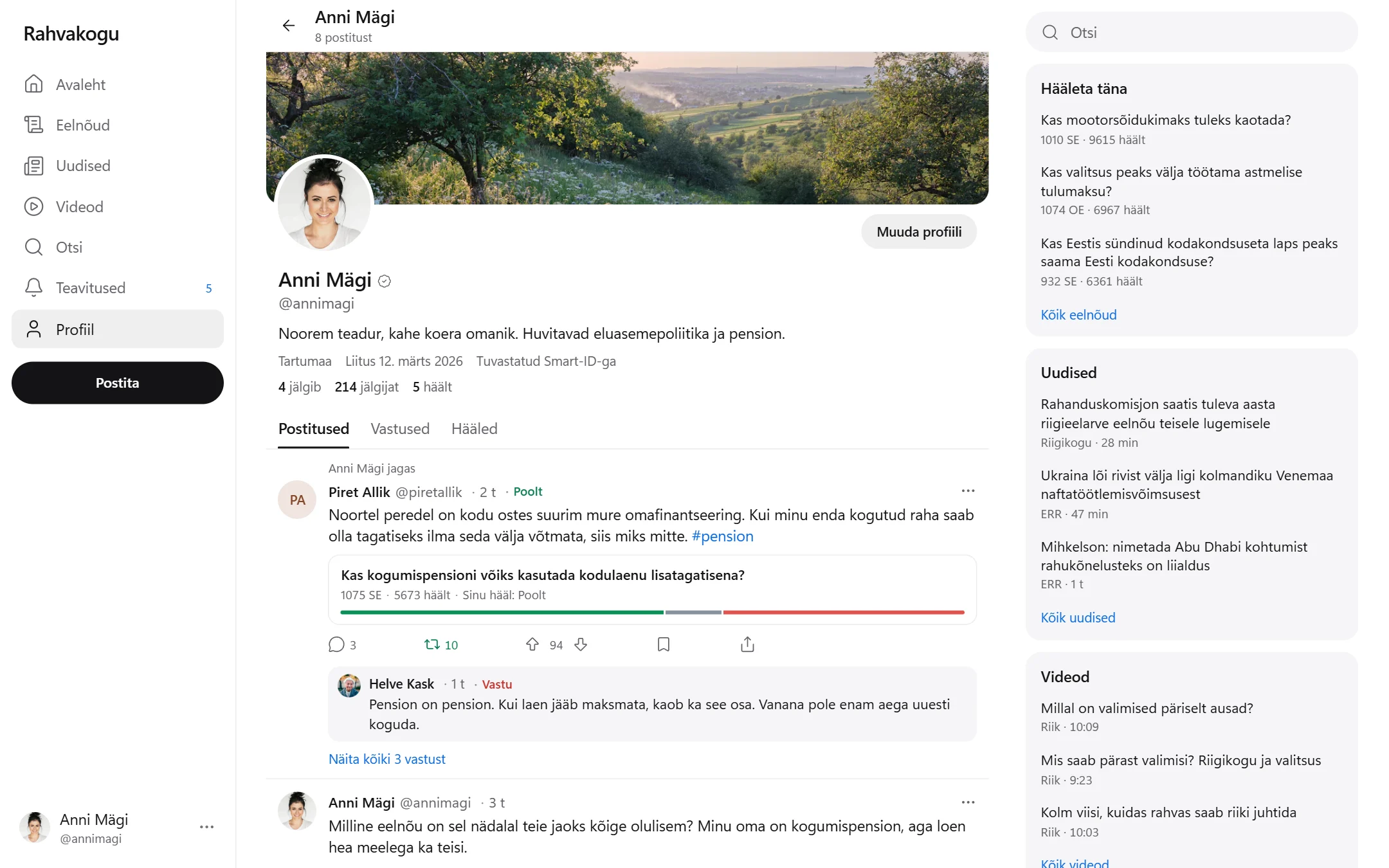
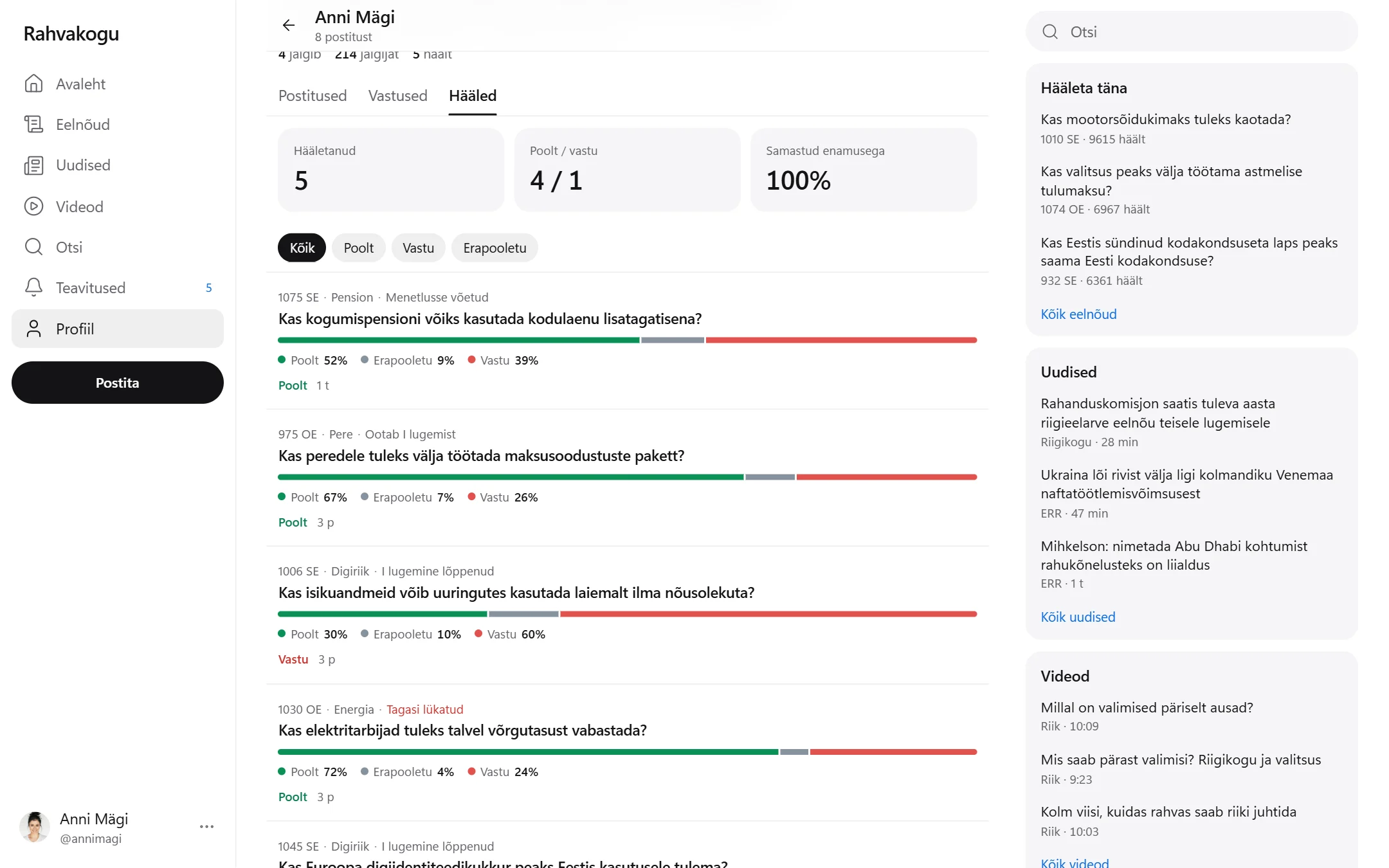
A web platform where people identify themselves with Smart-ID or Mobile-ID, vote on bills before the Estonian parliament, read the news, watch sittings of the Riigikogu and explainer videos, and discuss it all with each other.
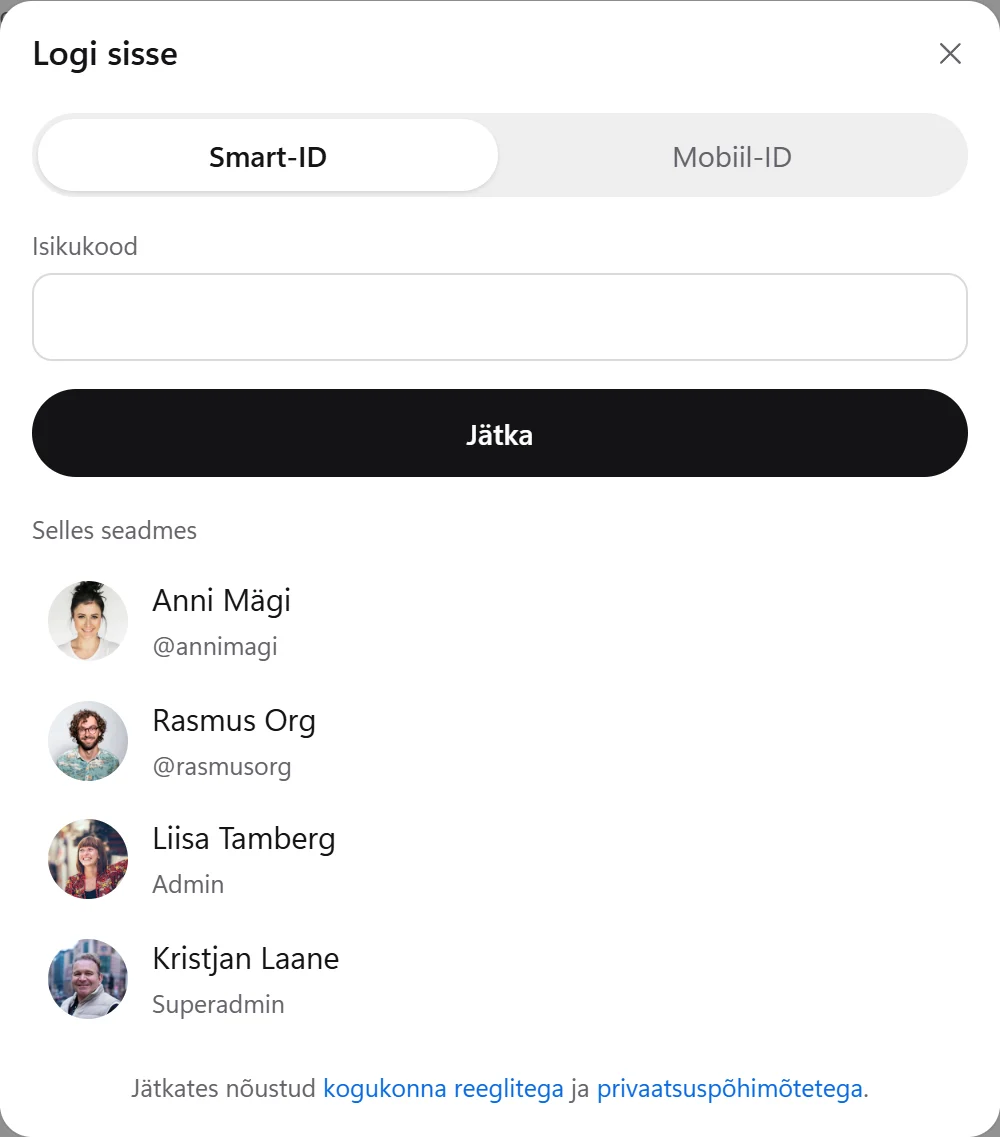
In the demo, press “Logi sisse” (sign in) and choose an account from the list. You do not need to enter an ID code. The demo itself is in Estonian.
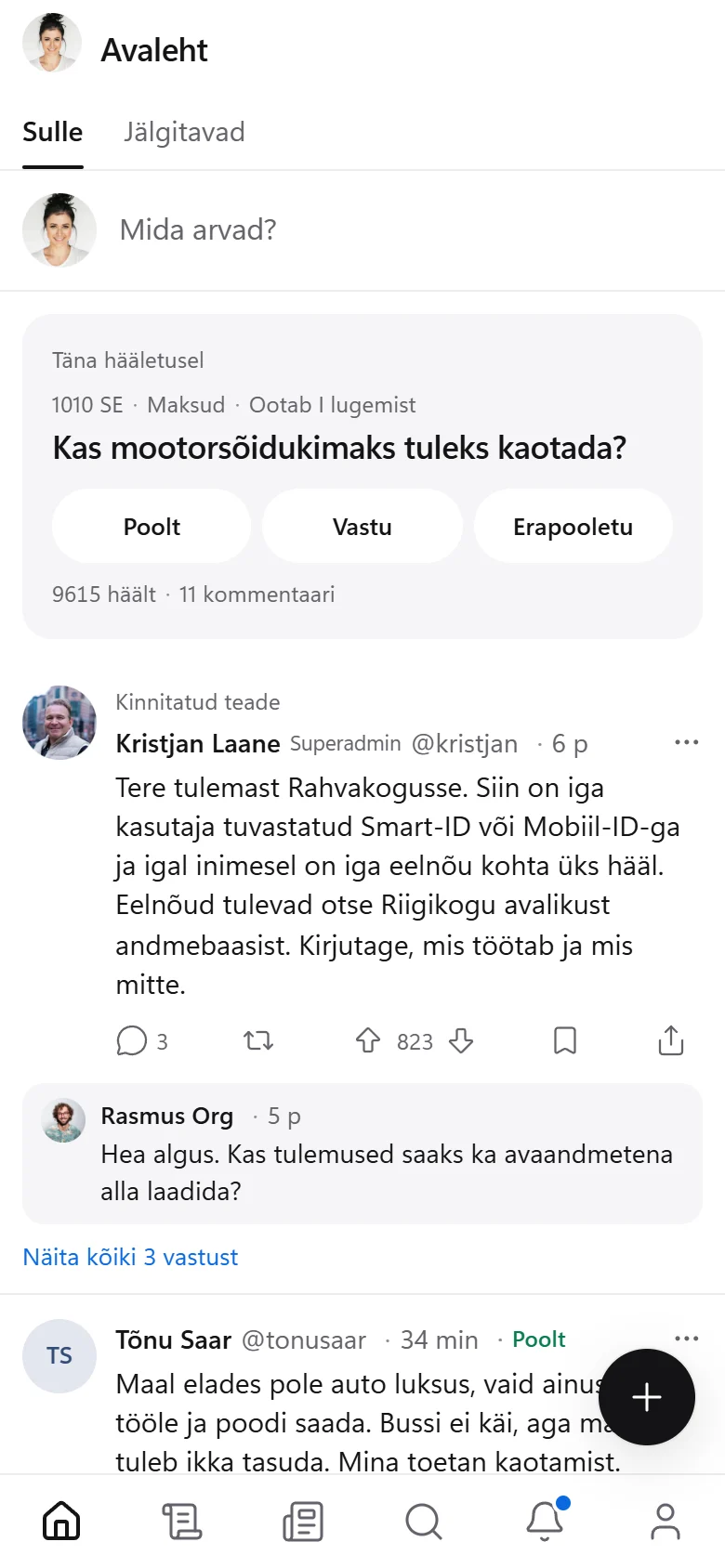
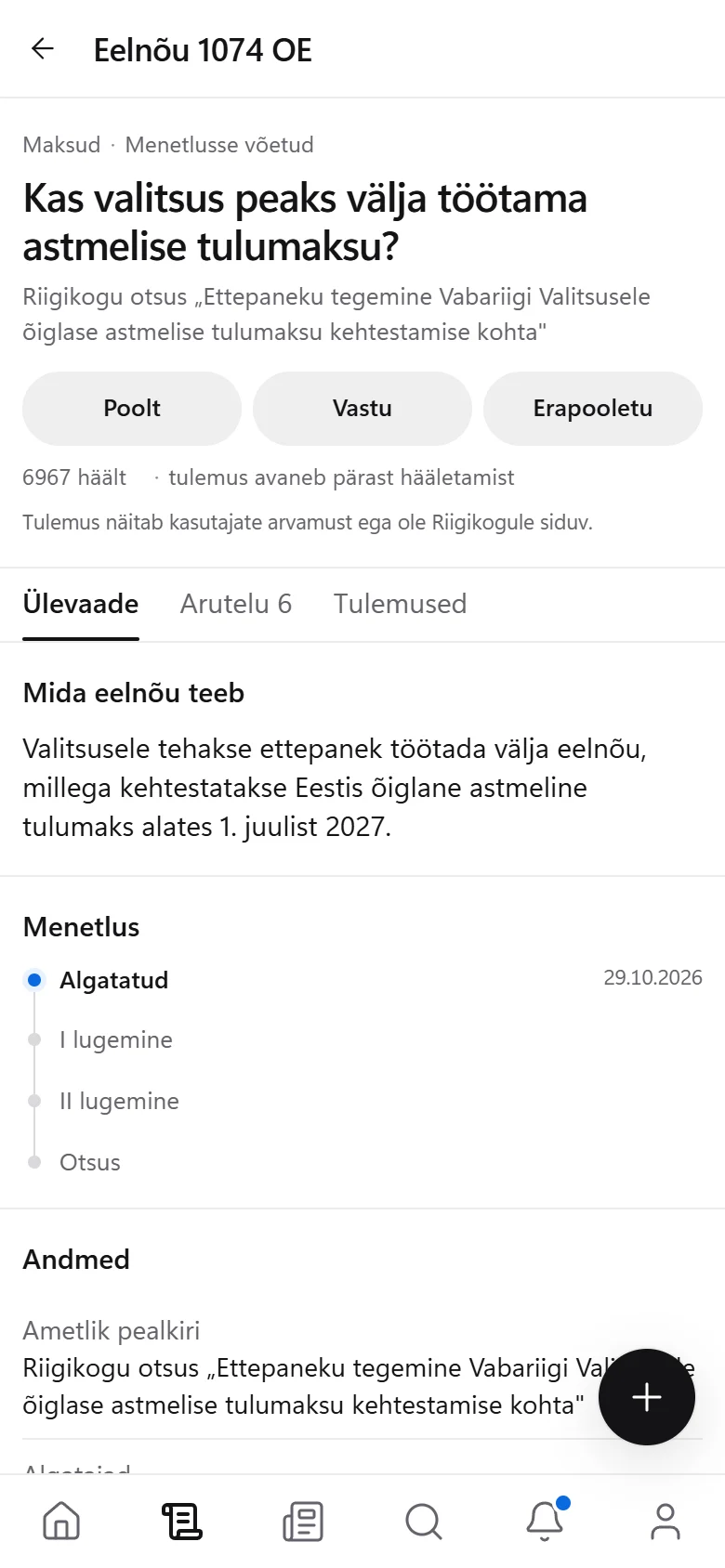
This is the real application, so feel free to try it. It is in Estonian. The featured bill can be voted on straight away.
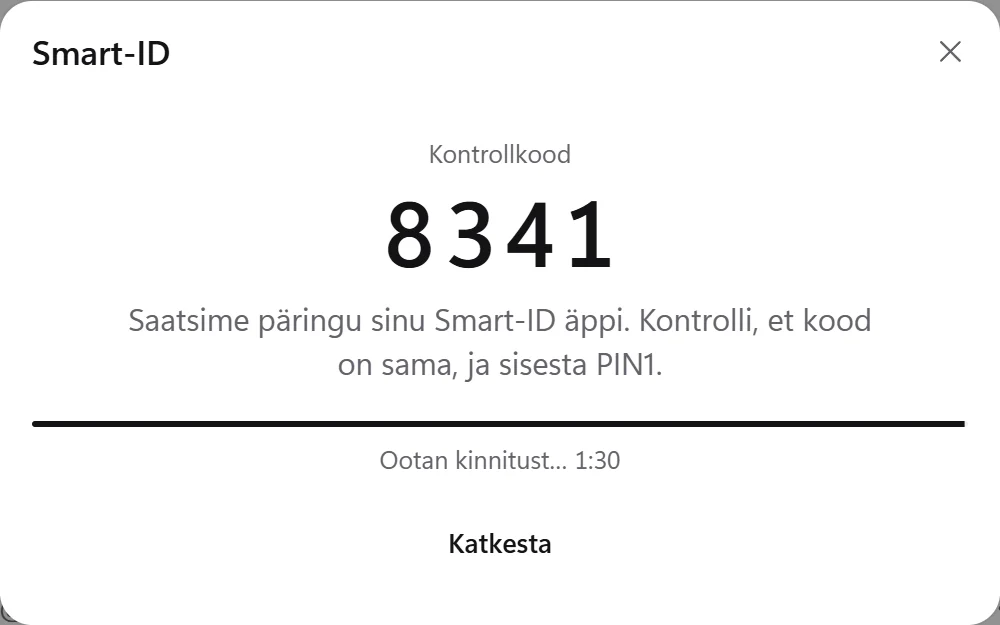
An account is created with Smart-ID or Mobile-ID, with no password. Choose an account from the list and the identification completes by itself.
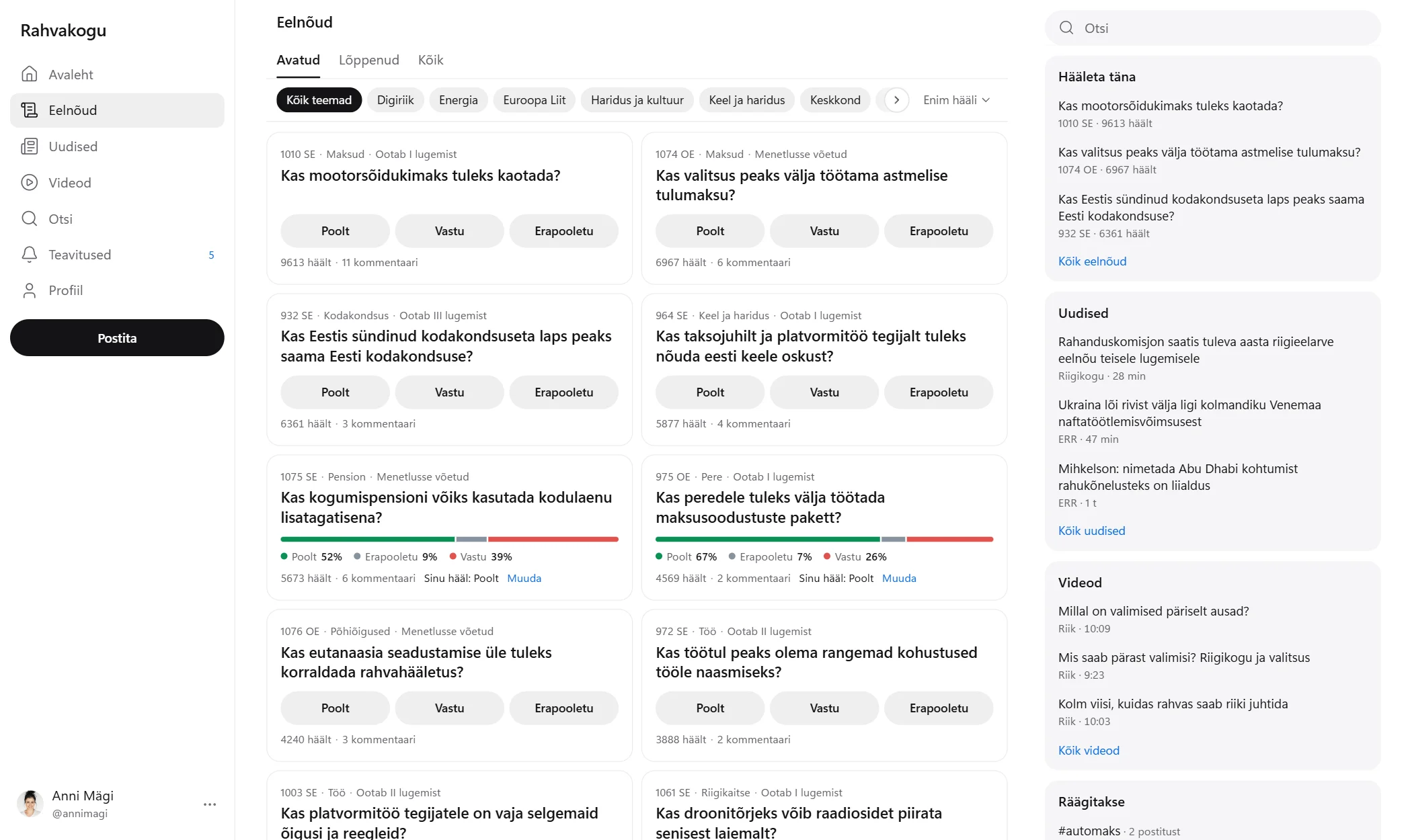
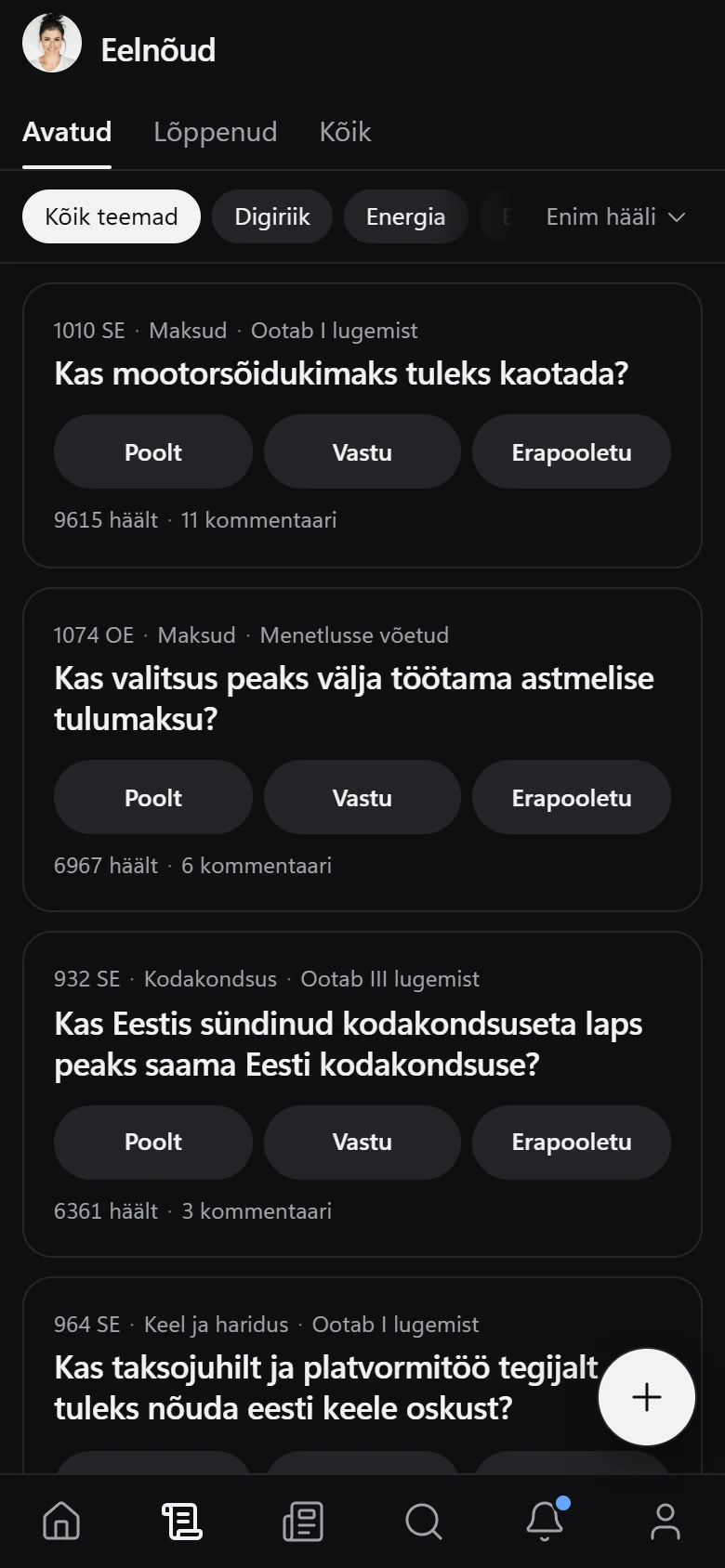
Real bills from the parliament, updated once a day. Vote on a bill and the result appears.
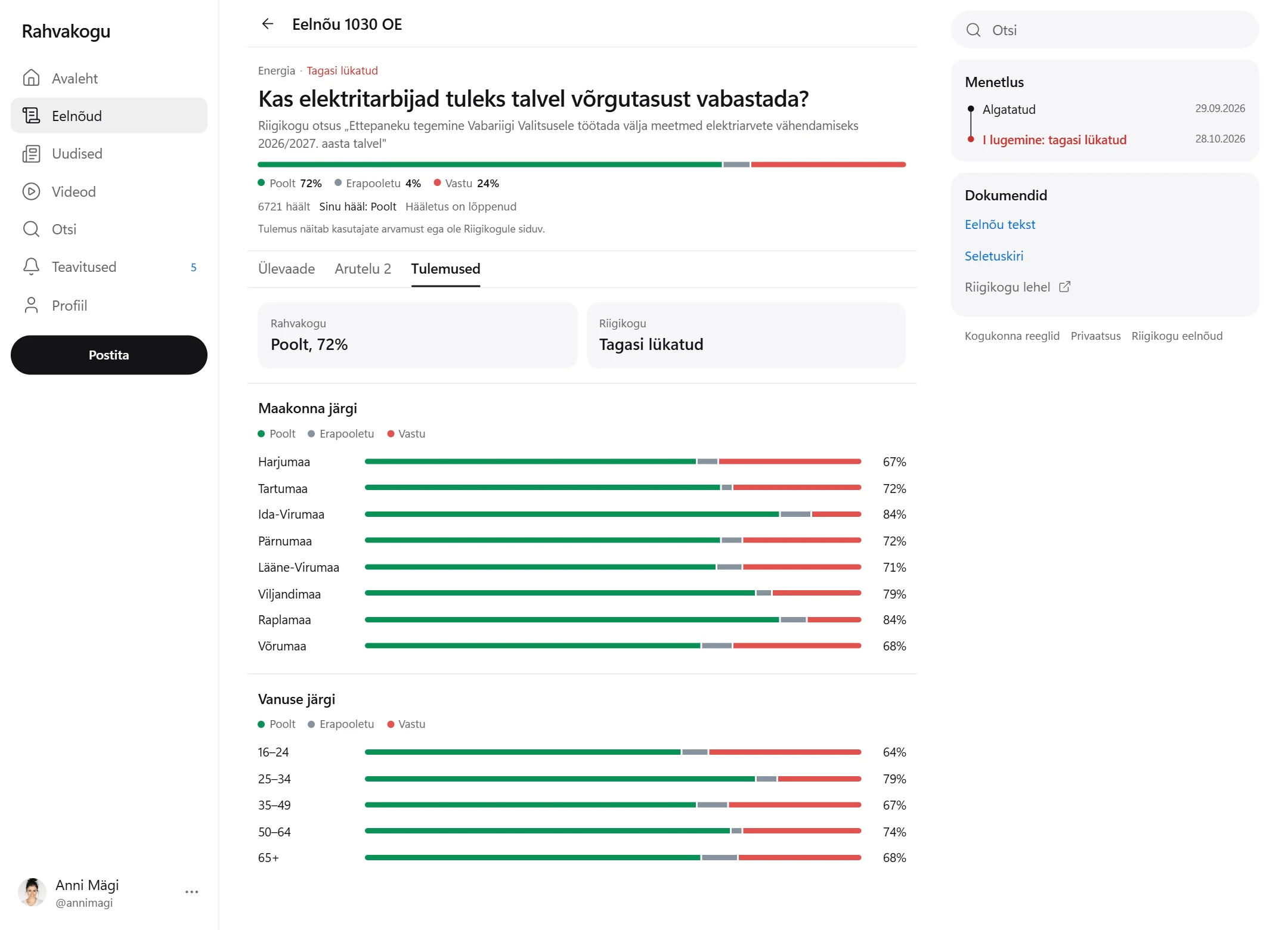
The result next to the decision of the parliament, broken down by county and age.
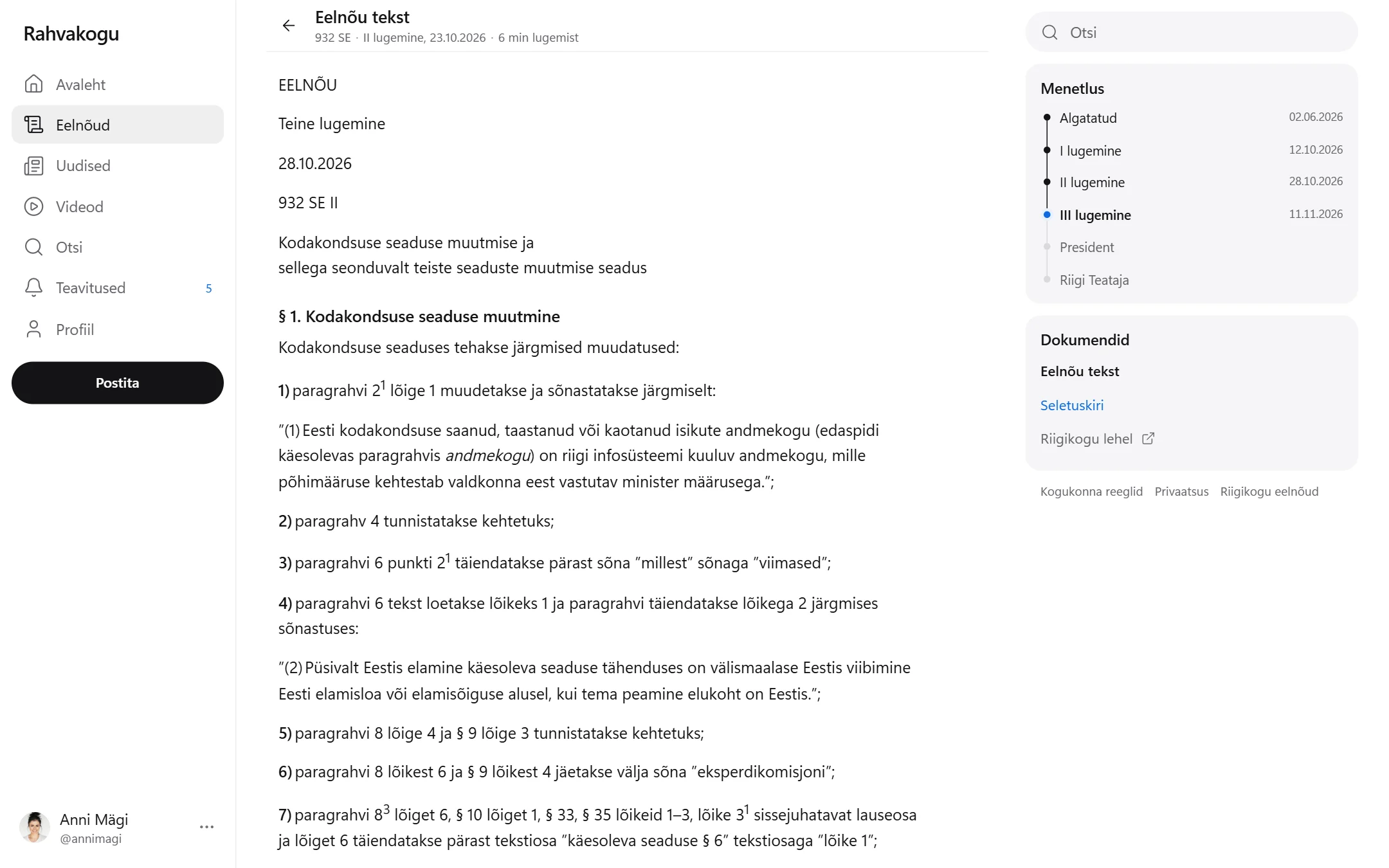
The bill and its explanatory memorandum can be read right on the page, with no file to download.
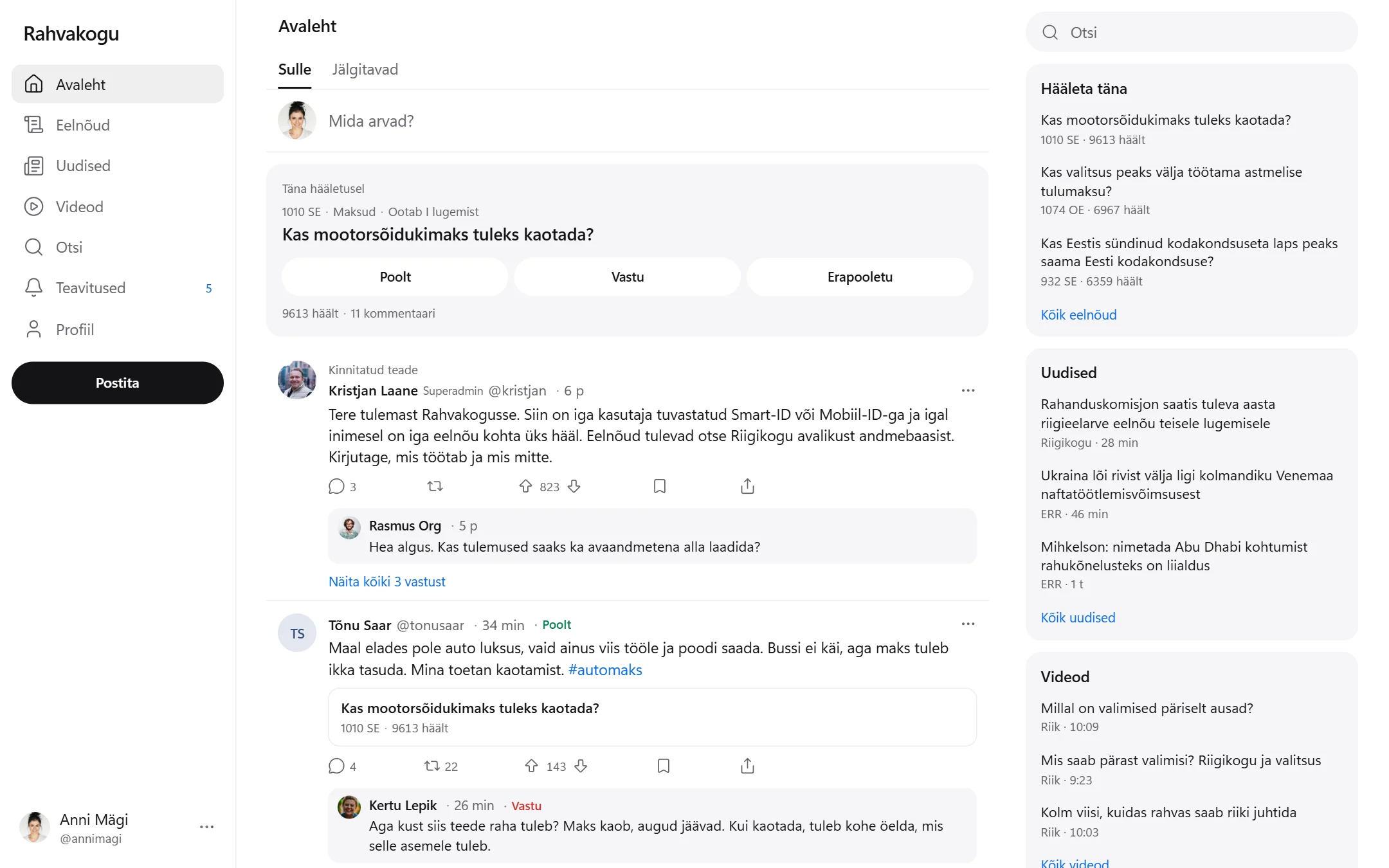
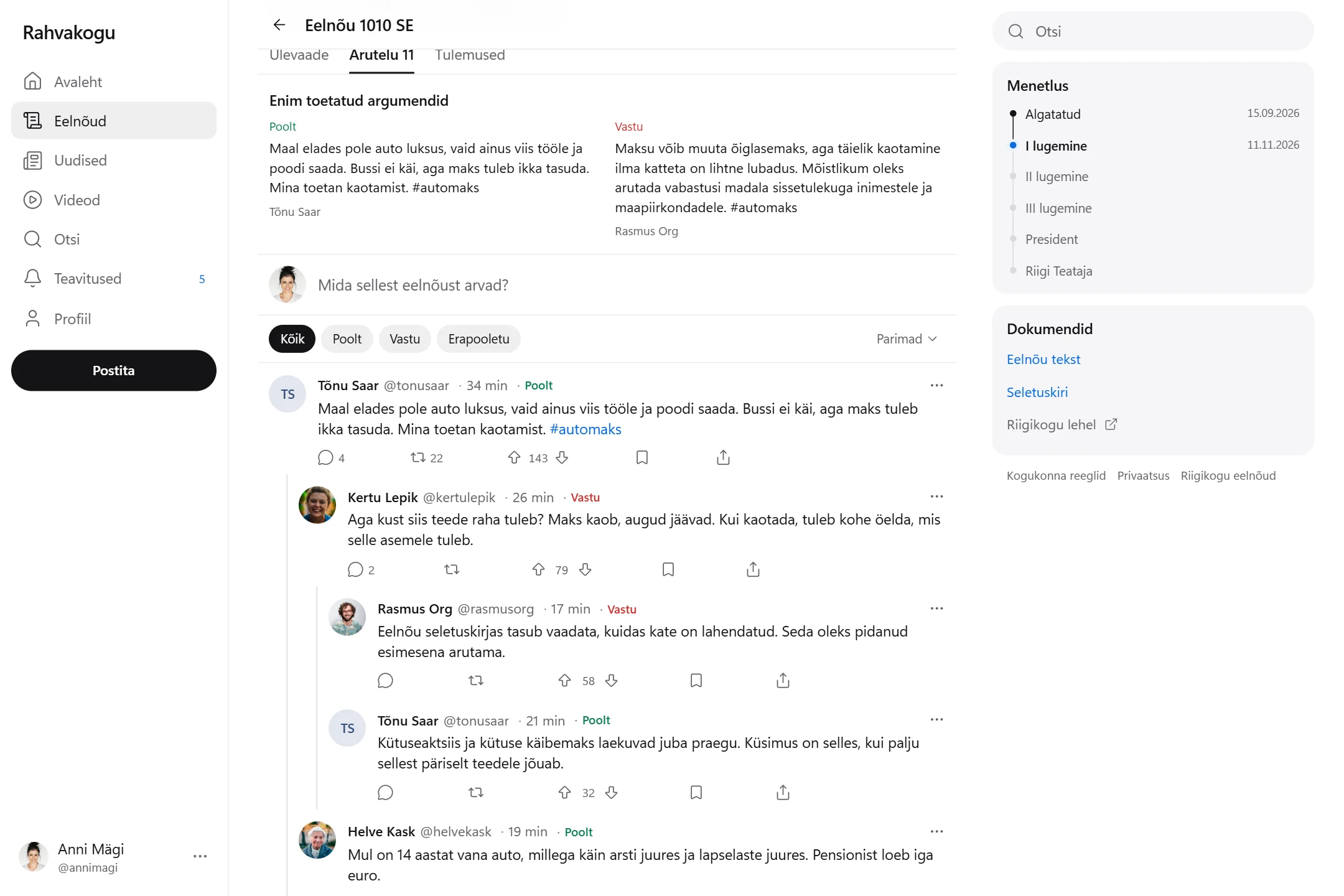
Comments and replies in threads. Next to each name you can see whether the person is for or against.
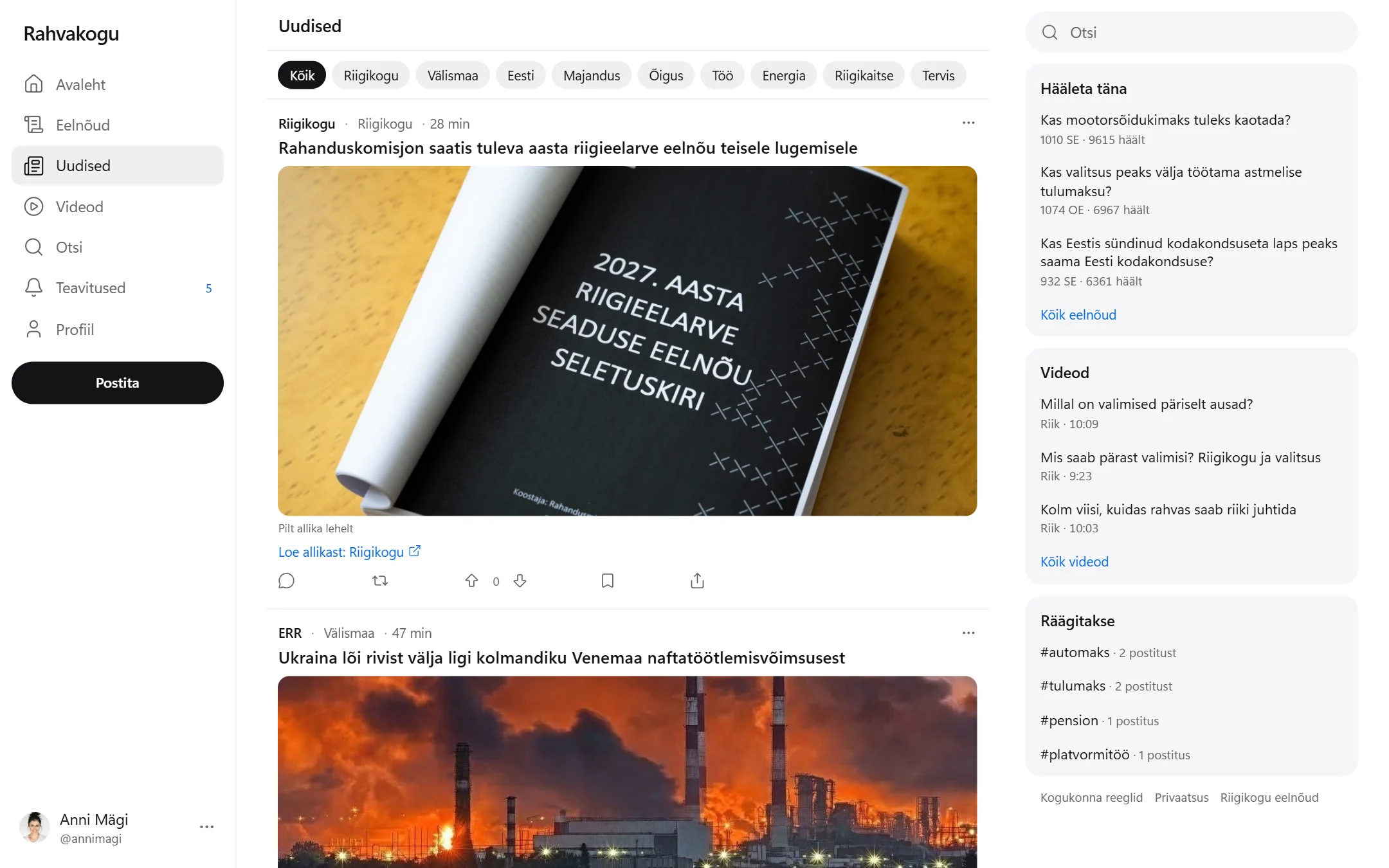
Real news from ERR and the Riigikogu, updated once an hour. Each item can be commented on and voted on, and the full story opens on the source's site.
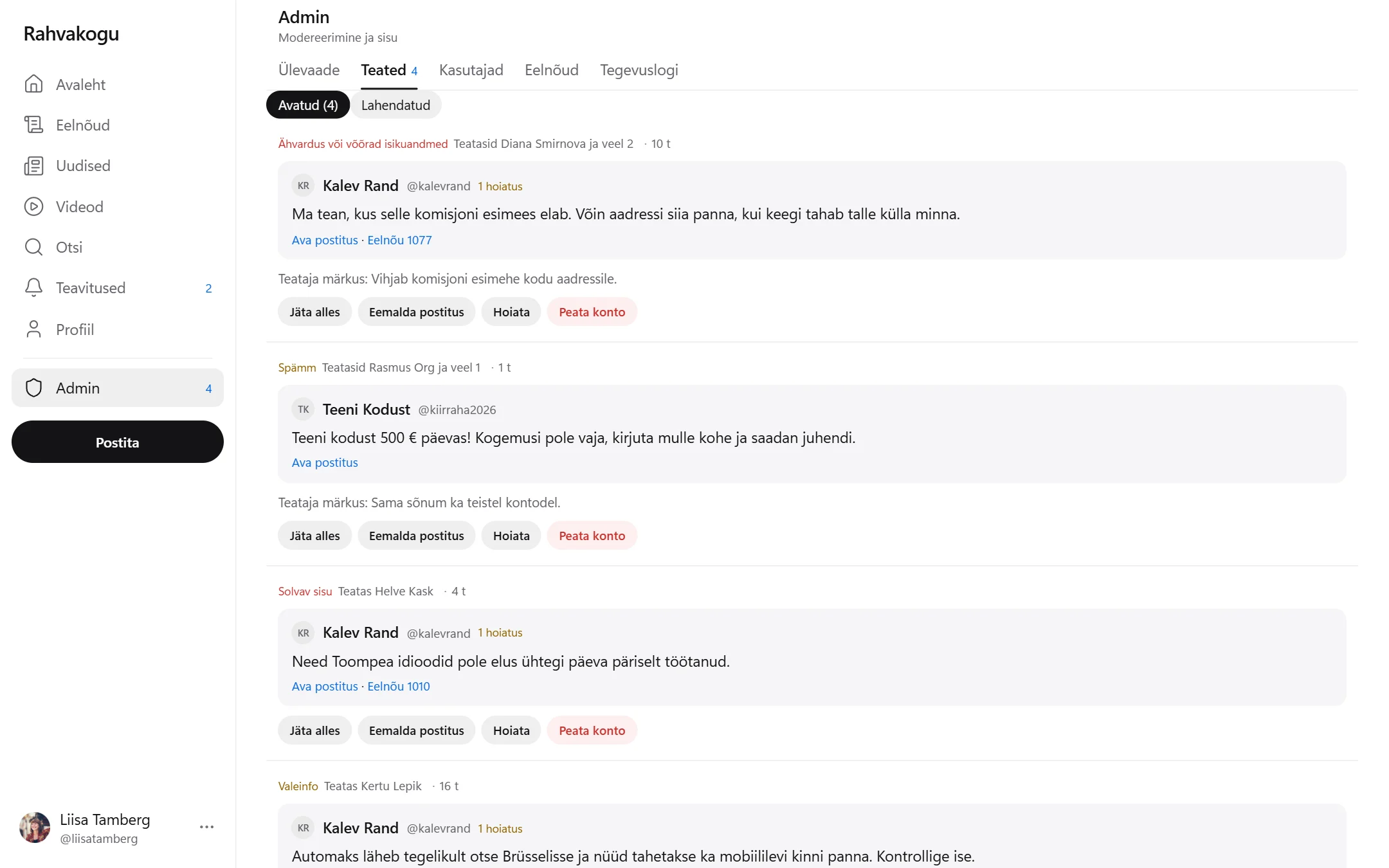
Reports from users in one queue. Try removing a post or warning a user.
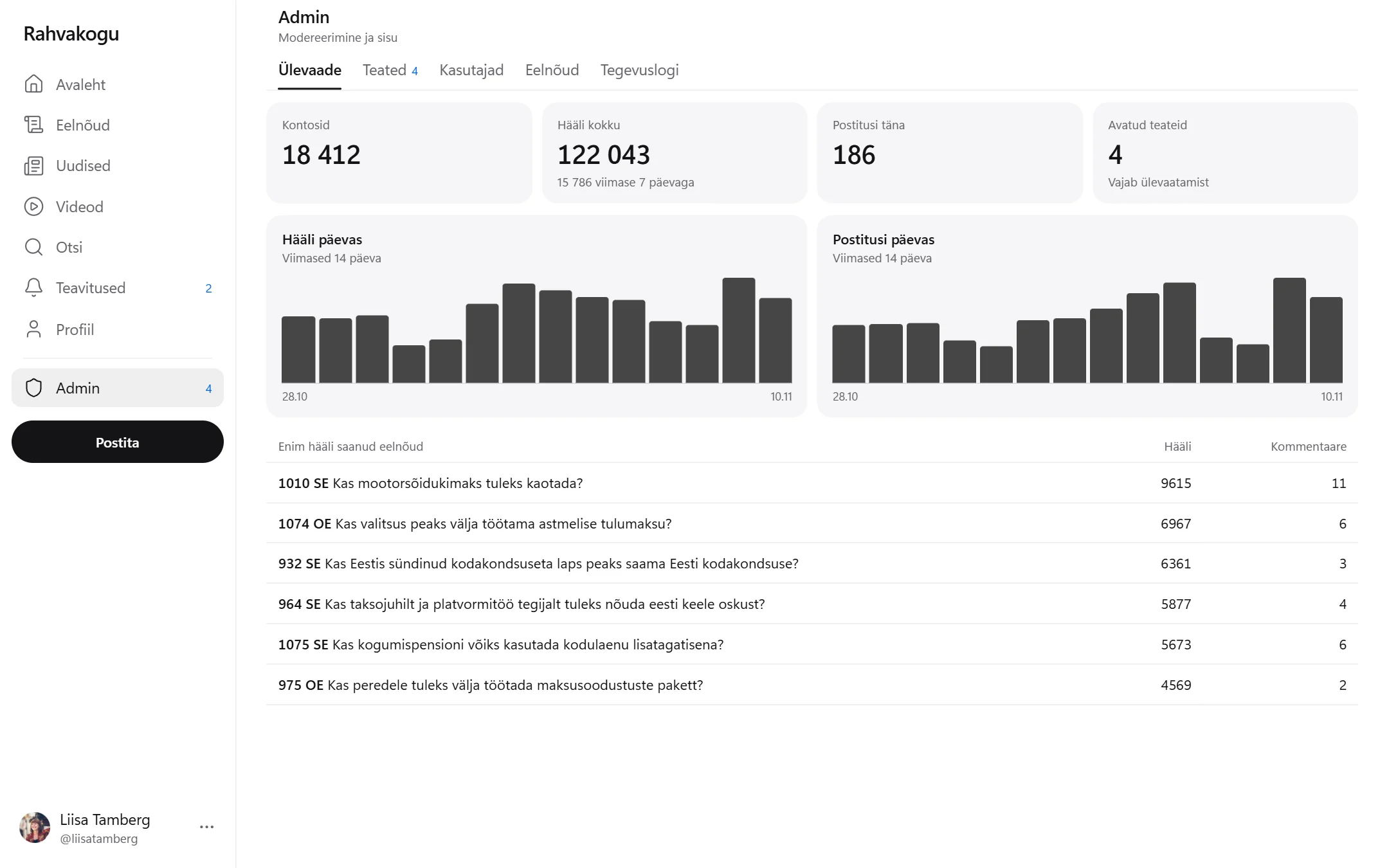
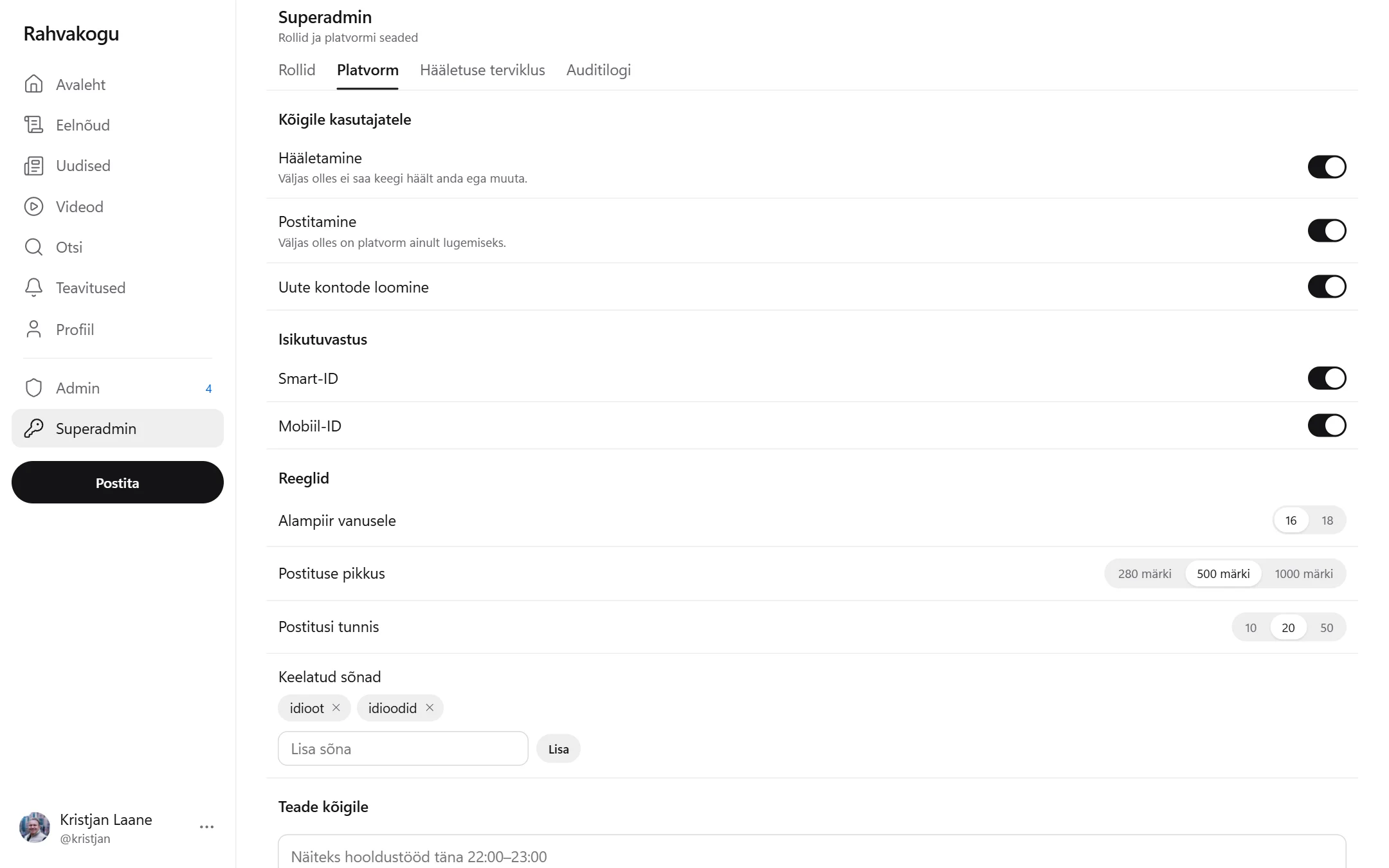
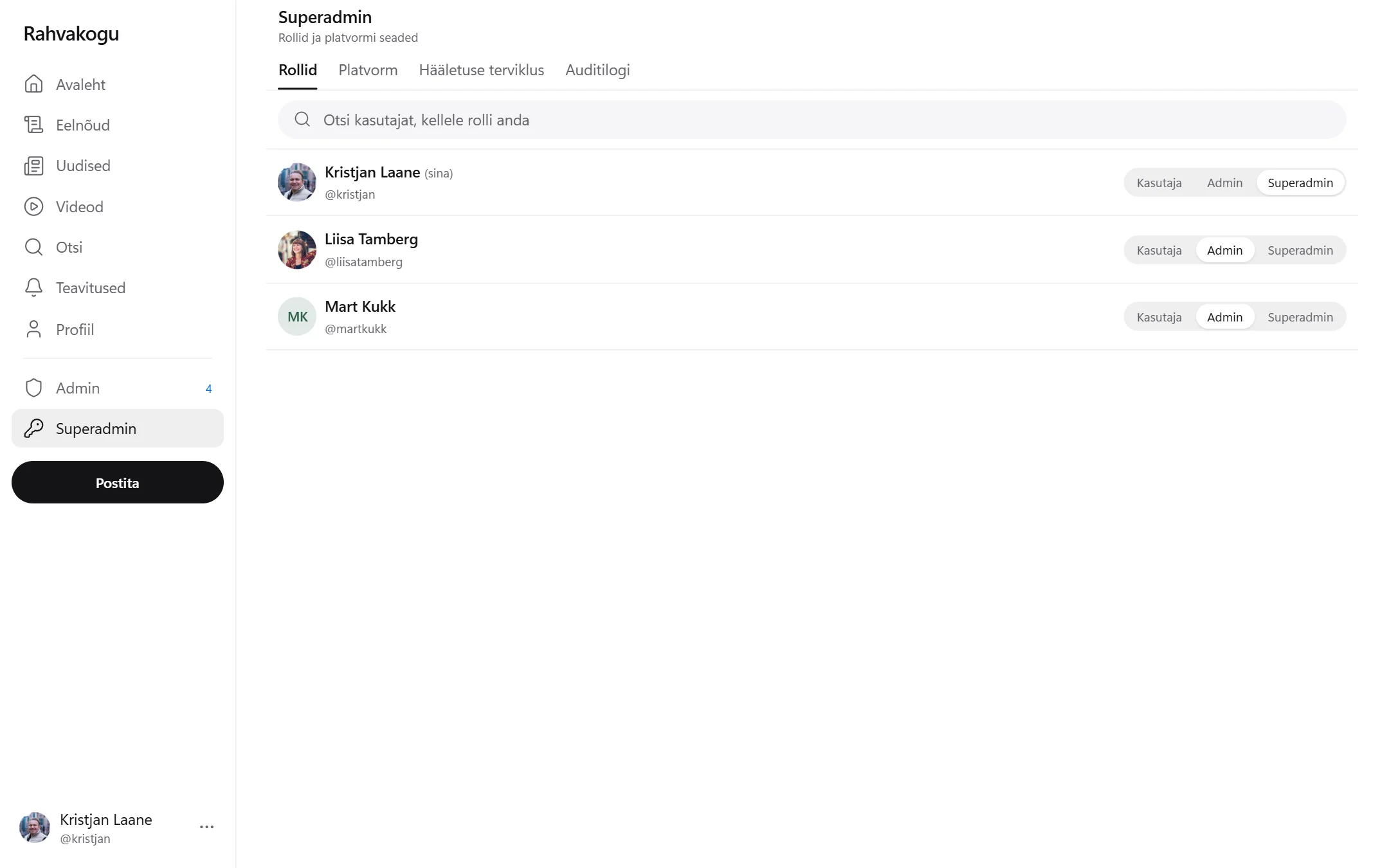
Roles, sign-in methods, banned words and a notice to everyone. Change something and see what happens.
it.sobo.ee/naidis/rahvakogu
What it is
A discussion platform where each person has one vote per bill
Rahvakogu combines voting and discussion. Every bill is written out as a simple question. A person casts a vote, sees the result and writes under the bill what they think of it. News items can be discussed in the same way.
We built the demo on bills from the Estonian parliament because they are public and easy for everyone to understand. The same solution can be made for your own questions and votes.
Who it suits
Citizens’ initiativeIdentified votes and public discussion in one place.
Party or movementMembers’ opinion before an important decision.
MunicipalityResidents’ opinion on local decisions.
Association or companyA survey where each person has one vote.
25bills as simple questions; new ones arrive from the Riigikogu database automatically
4user levels: guest, user, admin and superadmin
1vote per person on each bill
What you can do there
From signing in to running the platform
Press an image to see it large.
An account without a password
A person identifies themselves with Smart-ID or Mobile-ID. The date of birth comes from the ID code, so an age limit can be set.
Voting
For, against or abstain. The result only appears after voting, and a vote can be changed for as long as voting is open.
Results
The result is shown next to the decision of the parliament and broken down by county and age.
Bill text on the page
The bill and its explanatory memorandum open as a normal reading page, on phones too. There is no file to download.
Discussion
Posts and replies in threads, as on X and Reddit. Comments can be filtered by who is for and who is against.
News
Current news from ERR and the Riigikogu in one channel, updated once an hour. Each item can be commented on and voted on.
Videos
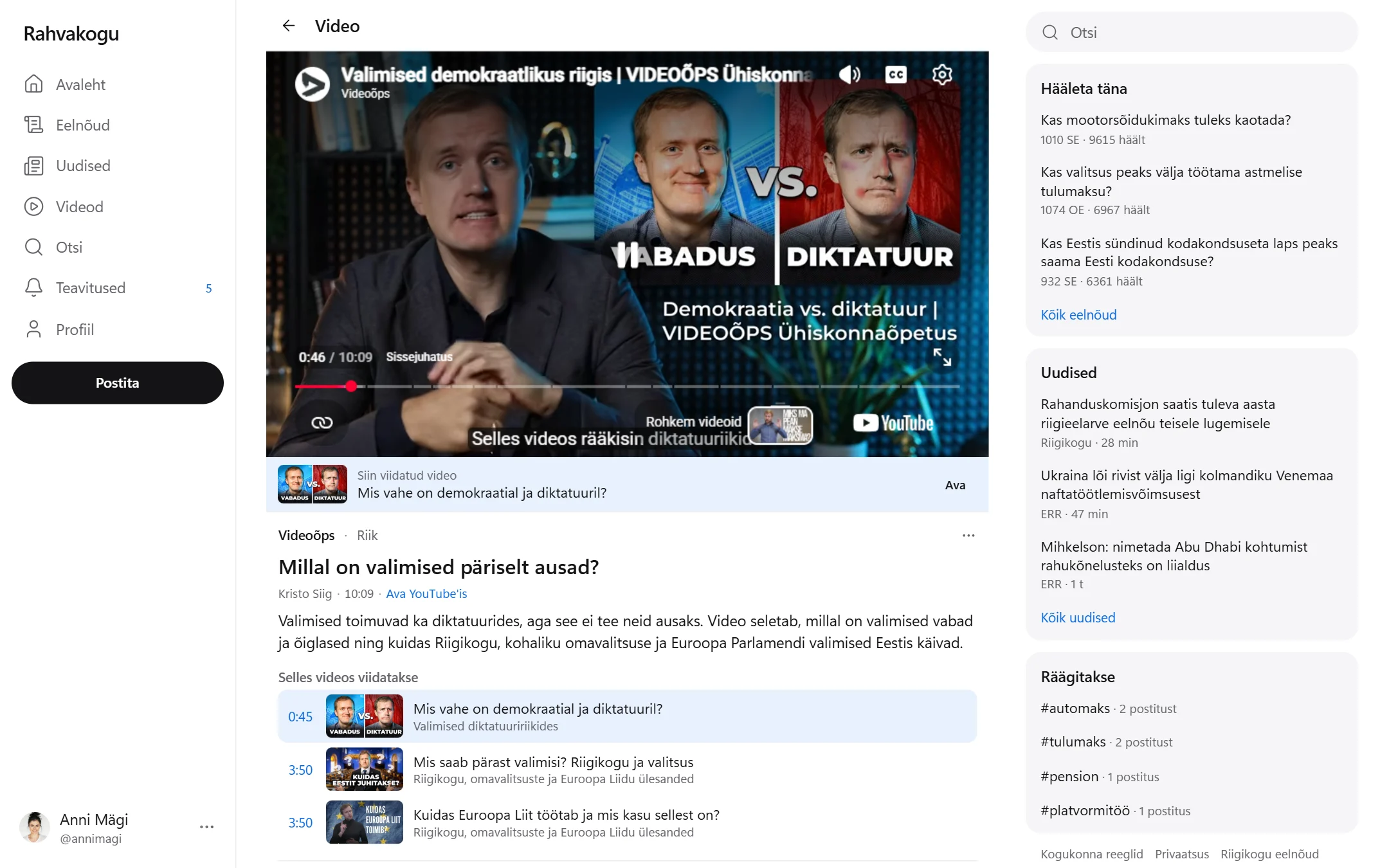
Sittings, question times and public committee hearings from the Riigikogu YouTube channel, with new ones added automatically. From the agenda you can jump straight to the point where a bill is debated, and each bill page shows when it was discussed in a sitting. There are also short explainer videos about the state and society: when a video refers to another video, a link appears right below the player.
Your own account
Profile picture and background image, my votes, notifications and saved posts. Each person decides whether others can see their votes.
Admin
Reports in one queue. An admin removes posts, warns users and suspends accounts. Every decision stays in the log.
Superadmin
Roles, sign-in methods, the age limit, banned words and a notice to everyone. The audit log shows who changed what.
On phones
Works like a regular app
On a wide screen the menu, feed and extra information sit side by side; on a phone everything is in one column. Light and dark themes work on both.
Good to know
What is real and what is a demo
Real
Titles, summaries, initiators and progress of the bills from the database of the Riigikogu. The data updates once a day and the most recently moved bills are added automatically.
Texts and explanatory memoranda of the hand-picked bills, reformatted from the Word files of the Riigikogu.
News from ERR and the press releases of the Riigikogu: headline, the source's image and a link to the source, updated once an hour. Older items have a summary in our own words and an Unsplash image that illustrates the topic; the comments under them are made up.
Videos from the Riigikogu YouTube channel: the title and agenda are the Riigikogu's own, and new videos are added every hour. Explainer videos from the Videoõps channel as of 5 November 2026, including the references between them; their titles and summaries are in our own words and the comments are made up.
Demo
Accounts, posts, vote counts and statistics are made up. The account images are from Unsplash, and the people in them have no connection to these accounts or opinions.
Identification is imitated: no request goes to a phone and no PIN is asked for.
Everything stays in your browser. Nothing is sent to a server and other visitors do not see your activity.
Please do not enter your real personal ID code. Choose a ready-made account to try it.
For a real service we add
A server and database, so that users can see each other.
A Smart-ID and Mobile-ID connection through the SK ID Solutions service.
Every new bill as a simple question, and protection of personal data.
Agreements with the news sources on the use of images and summaries.